The table is at the other end
A slip from the forecourt has to reach the right serving point first. Who carries it where, and whether the kitchen already has the dish, remains an agreement between the areas.
 BierblockDELogin
In the festival tent, beer garden and forecourt, guests sit far apart, while drinks and food are served elsewhere. Bierblock takes the order at the table and shows it to the assigned serving point. The floor plan makes table areas and serving points visible; it does not assign areas or responsibilities automatically. Check reception, power and open questions before the festival, at the actual places.
The Problem
The examples describe a fictional tent festival; the app screenshots show test data from the demo event.
A slip from the forecourt has to reach the right serving point first. Who carries it where, and whether the kitchen already has the dish, remains an agreement between the areas.
The bar pours, the grill cooks. Without a shared order number, neither serving point knows which item belongs to the other.
Rear tables and stations often have weaker reception or no socket. That only shows up during the rehearsal at the actual place.
The Solution
The plan is the shared orientation; assigning products to serving points and the handover remain team tasks.
Name rooms and tables after the shared plan: festival tent, beer garden, forecourt, seating area, terrace. The plan shows the areas and serving points, but it does not assign areas or responsibilities automatically.
Manage tables and areasService opens the table, takes drink and dish in one order and sends it. The bar sees the drink, the grill the dish – the same order number, separate serving points.
See mobile order takingEach serving point moves its items through Open, In progress and Ready. Ready means prepared, not served or paid. At shift change, the team reviews the open tickets with table and number.
See kitchen managementTest a mixed order with the planned devices at the rear table and at both serving points. Check power or charged power banks and agree who answers questions. No saving of walking distance is promised; the rehearsal shows whether the setup works.
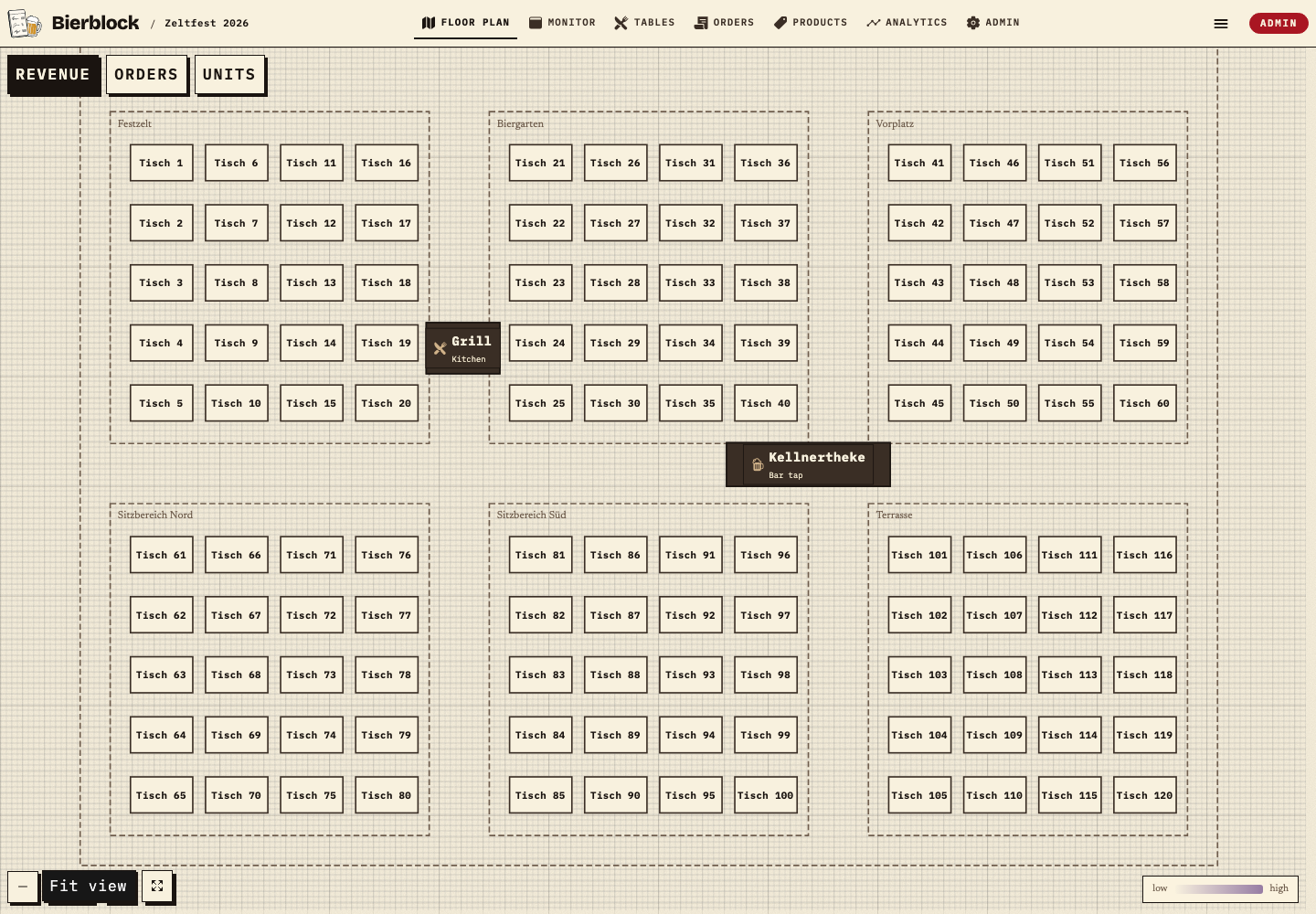
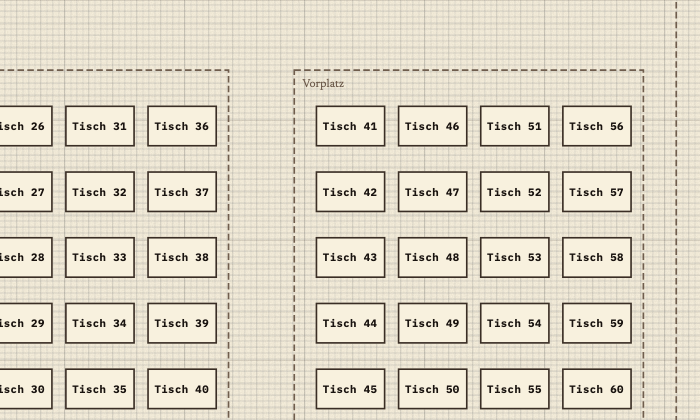
The example plan shows the forecourt with Tisch 41 as well as the serving points Grill/Küche and Kellnertheke/Schank. The areas are named so that service and serving points share the same orientation. The plan is not automatic area assignment and not walking-route optimisation.
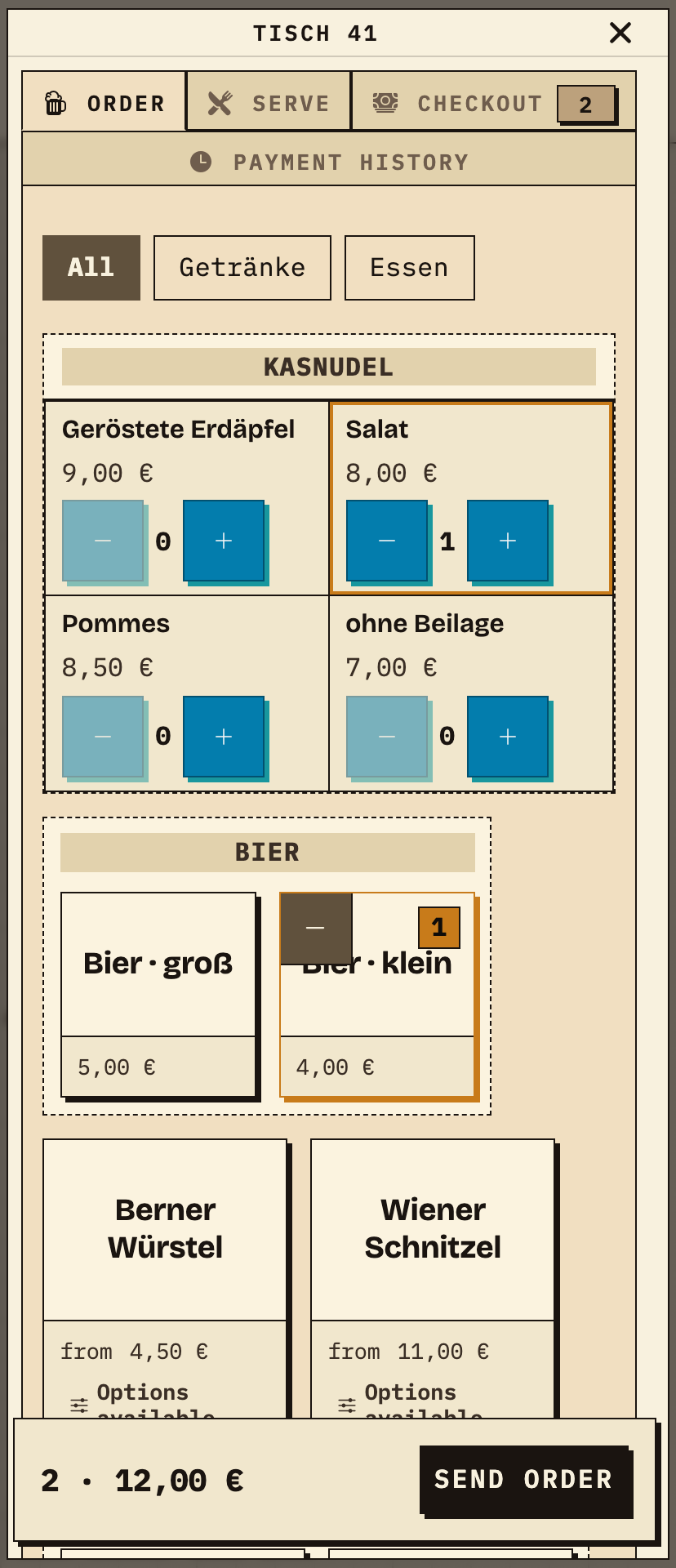
Service opens Tisch 41 and takes a small beer and a Kasnudel salad; the total shows two items for €12.00. Sending creates one order that reaches both serving points.
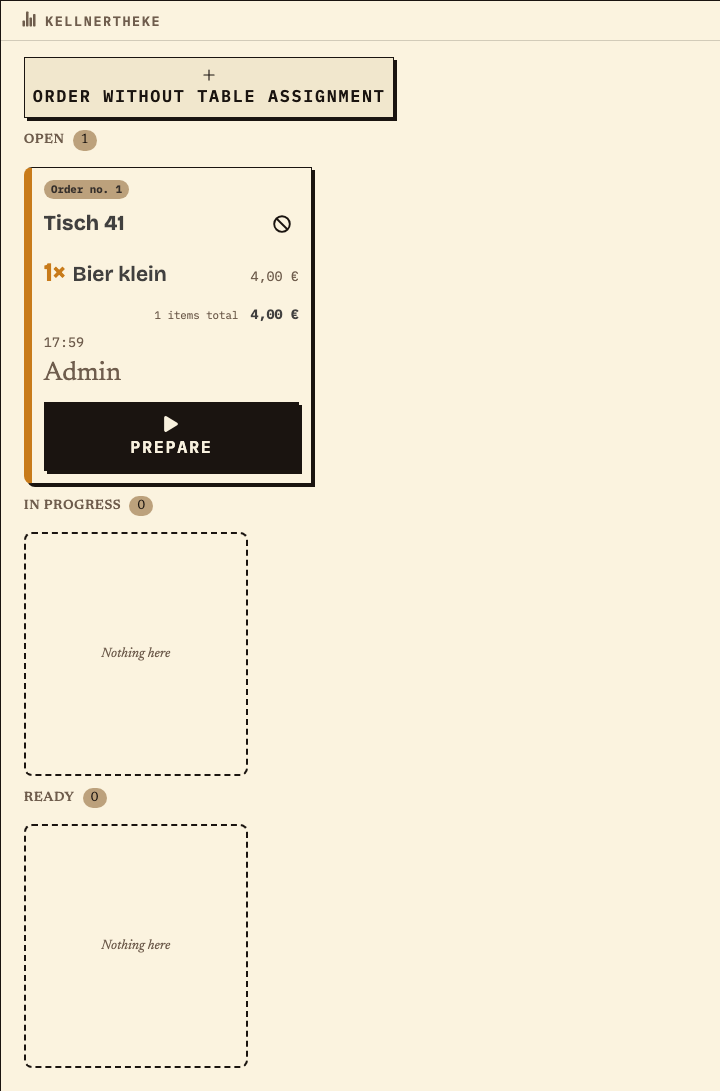
At the Kellnertheke, only the beer from the same order no. 1 is shown: Tisch 41, 1× small beer, €4.00, status Open. The grill does not see this item; each serving point works its own ticket.
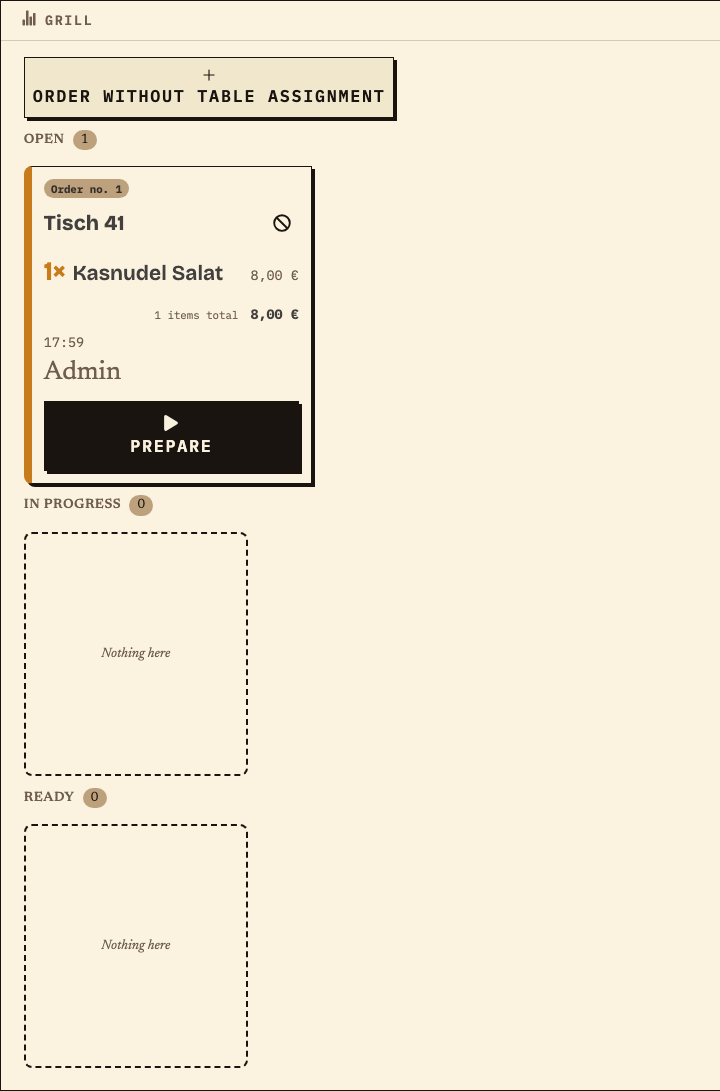
At the grill, only the Kasnudel from the same order no. 1 is shown: Tisch 41, 1× Kasnudel salad, €8.00, status Open. Both serving points carry the same order number; the table stays traceable through that number.
Work material
Fill in the list during the rehearsal at the actual places. The middle column names the check, the right column the expected result.
Example (test data): Tisch 41 in the forecourt, Kellnertheke and Grill as serving points. The values are a pattern, not a promise about reception or capacity.
| Step or entry | Place | Check | Result |
|---|---|---|---|
Scroll horizontally to see the full table.
Entries are not saved. Print the completed list before reloading or note the values separately.
Benefits at a glance
A fictional tent festival has a forecourt, a festival tent and a beer garden. Tisch 41 is in the forecourt; service and serving points work with the same plan. Service takes a beer and a Kasnudel at the table; the beer appears at the bar, the dish at the grill, both with the same order number. The plan does not assign areas automatically: the team names tables and areas and checks the assignment during the rehearsal. At the rear table, reception is weaker; the helpers test there with the planned phone, check the waiting order on the device and do not send it twice. Before the festival, power, the fallback and the person for questions are clarified. All names and figures are test data; no saving of walking distance is claimed.
Frequently asked questions
Everything about setup, usage and costs.
Take a mixed order at a distant table and check it at both serving points. The public demo is free; your own demo events are limited to 20 orders per event.
Start without an account. Register to save. Your own demo events allow up to 20 test orders.
See pricing