Define the task.
Order taking, bar work, kitchen and cash register are different tasks. Decide which of them your team wants to support digitally.
Check local requirements in the festival guide BierblockDELogin
Bierblock is a digital order pad for your festival: helpers order on their phones, and the kitchen and bar see their assigned items. The provider is based in Austria and support is in German by email. This page separates verifiable product information from local festival planning and shows an Austrian table-service, bar and kitchen flow. Shared order updates need internet access.
The Problem
Origin and support are only part of the decision. More important is which task the tool covers and which local requirements you must clarify separately.
Order taking, bar work, kitchen and cash register are different tasks. Decide which of them your team wants to support digitally.
Check local requirements in the festival guideEvent notification, music, hygiene and receipts have different contact points. Ask for your venue and event rather than relying on a general rule.
Check which channels and hours are actually offered. The product origin alone says nothing about an event-day hotline.
The Solution
Bierblock covers order taking and routing to stations. Local planning, cash register and receipts remain separate tasks.
Wine with grape and container options, beer and food are set up with variants and stations. The app turns this into the selection used in service.
The service team orders at the table; the bar and kitchen see only their items under the same order number.
Open, In progress and Ready are preparation states. They do not prove collection, payment or a personal handover.
Prices, terms and event packs are on the pricing page. This page deliberately does not repeat a price list.
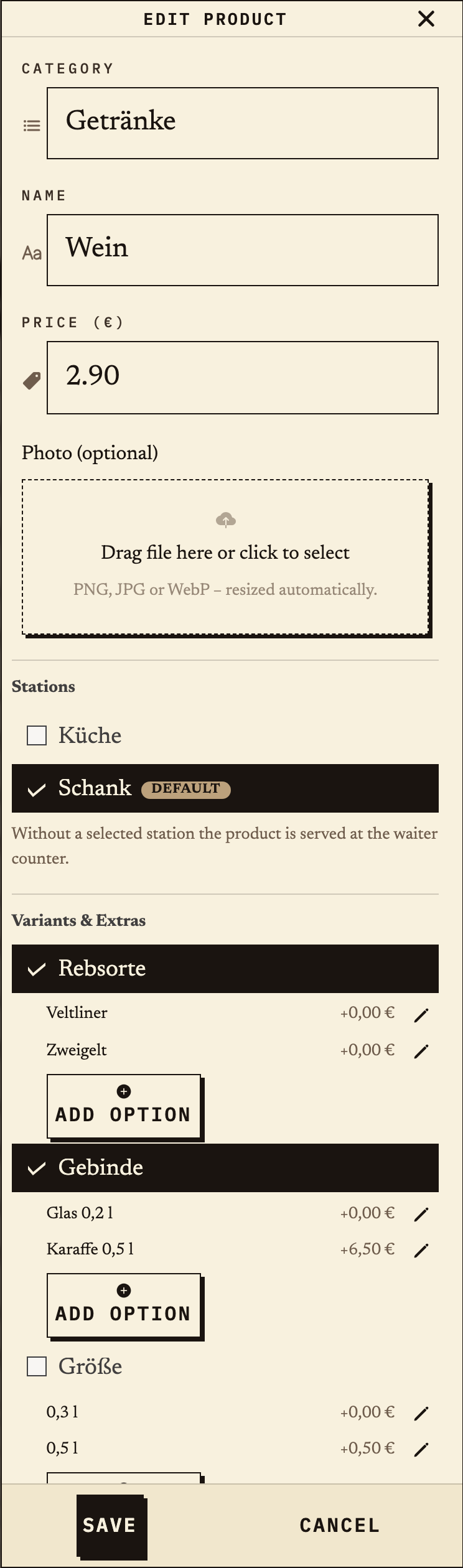
The product dialog shows wine with the required groups grape (Veltliner, Zweigelt) and container (glass 0.2 l, carafe 0.5 l). The product is assigned to the bar station; the Brettljause belongs to the kitchen.
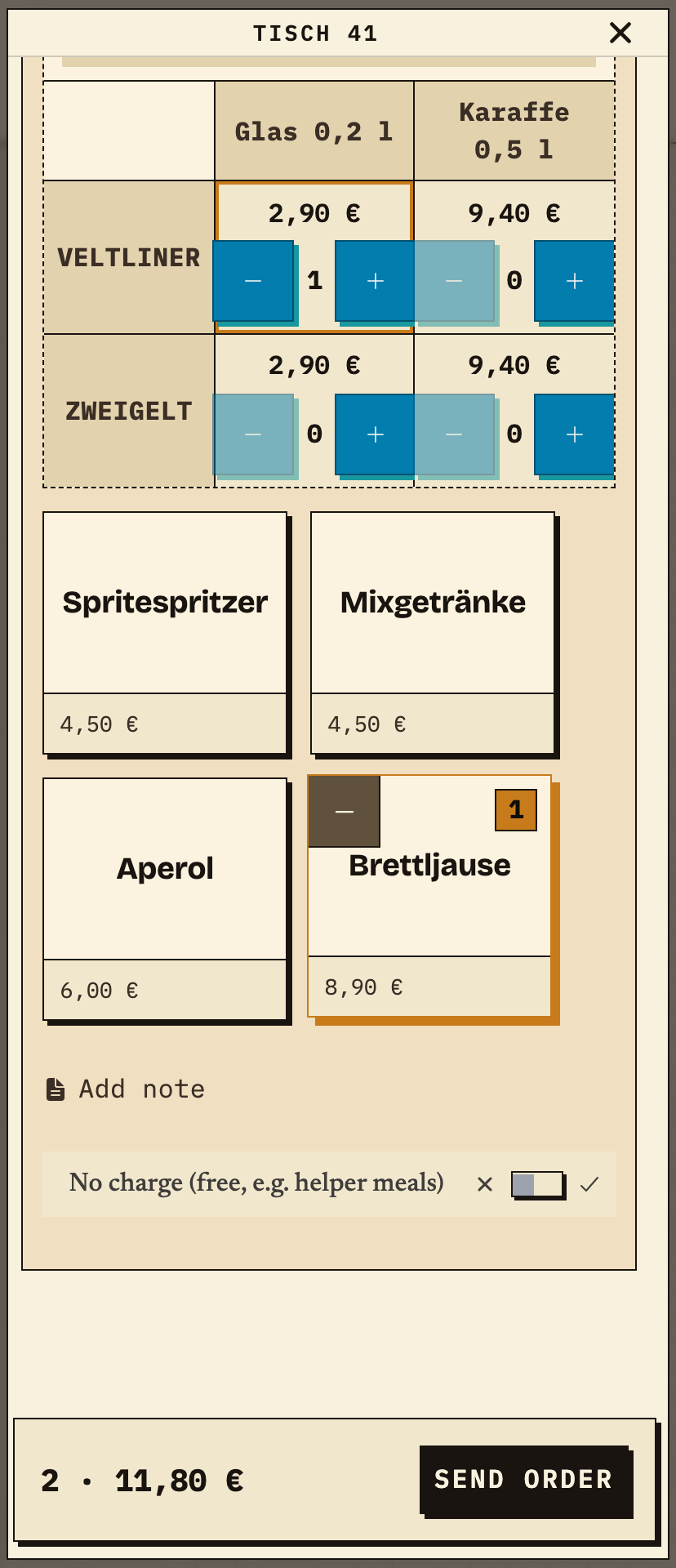
At table 41 the team orders one Veltliner by the glass and one Brettljause. The basket shows two items and 11.80 €. The order is sent once; the bar and kitchen then see their assigned items.
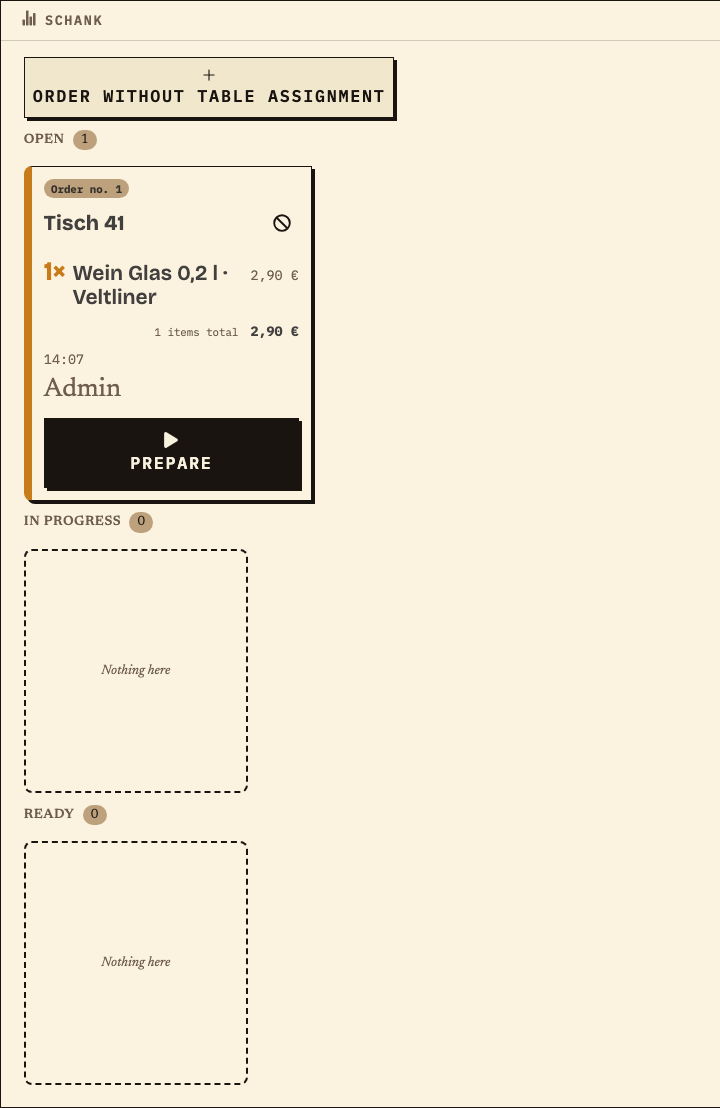
The bar monitor shows order number 1 for table 41 with only the wine item. The preparation status is Open. The kitchen receives the food item under the same order number.
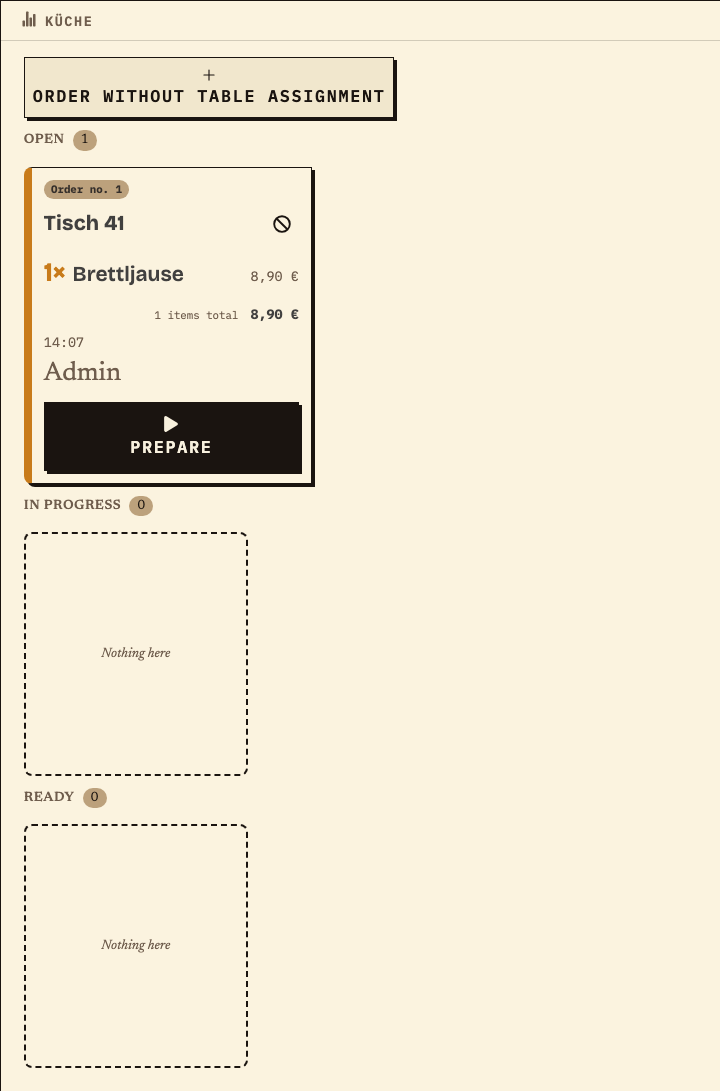
The kitchen monitor shows the same order number 1 for table 41 with only the Brettljause. The preparation status is Open. The bar and kitchen therefore work from the same order but see only their assigned items.
Benefits at a glance
A team sets up wine with the variants Veltliner/Zweigelt and glass/carafe plus a Brettljause. It orders at table 41, checks the wine item at the bar and the food in the kitchen, and compares the access period with the festival dates. This is a test setup, not a reference or legal advice.
Frequently asked questions
Everything about setup, usage and costs.
Ready?
Open the public demo to explore order taking, the kitchen and the bar. No account is needed. To prepare your own setup, start a test event afterwards.
Start without an account. Register to save. Your own demo events allow up to 20 test orders.
See pricing