Volunteer communication breaks down.
Without named owners, tasks can be left open or duplicated. Record a responsible person and a backup.
 BierblockDELogin
Who will make decisions, prepare the serving points and take over when volunteers change shifts? Start with your event plan and named responsibilities, then work through the order rehearsal and handovers. Use the linked checklist to record tasks. Requirements depend on your location; the linked official sources are in German.
Before choosing tools
Agree the event basics and local checks first. These planning steps work with your existing tools; Bierblock covers the order and station workflow described below.
Confirm the date, venue and event format, then record the approved budget range as a shared planning brief.
Assign owners for the main areas. Each decision and open task should have a named person and a backup.
Check with the responsible authorities and venue. Record which requirements apply, who confirmed them and any approval deadlines; rules vary by location.
Put tasks, owners and due dates in the checklist, then review open items at planning handovers.
The Problem
A useful plan names owners, handovers and fallback steps instead of expecting an app to manage every responsibility.
Without named owners, tasks can be left open or duplicated. Record a responsible person and a backup.
Unclear products, quantities or table details create questions. A rehearsal helps check names and station routing.
Order quantities alone do not answer questions about money collected, profit or physical consumption.
The Solution
A practical four-phase workflow. The first steps work with paper or another tool; Bierblock can support digital order taking and station handling.
Name a responsible person for each station. Agree on product names, options and prices; use clear names for tables and areas.
Configure the helper access you need. Test it on the intended devices and submit a test order with a meal and a drink.
Agree who handles orders, collection and questions. Review open work before a shift change and hand it over in person; define a fallback for connection problems. The outgoing and incoming cash leads count and document physical cash separately.
Review recorded order quantities and timelines, then add remaining stock, cash records and team feedback. Order values are not a profit calculation.
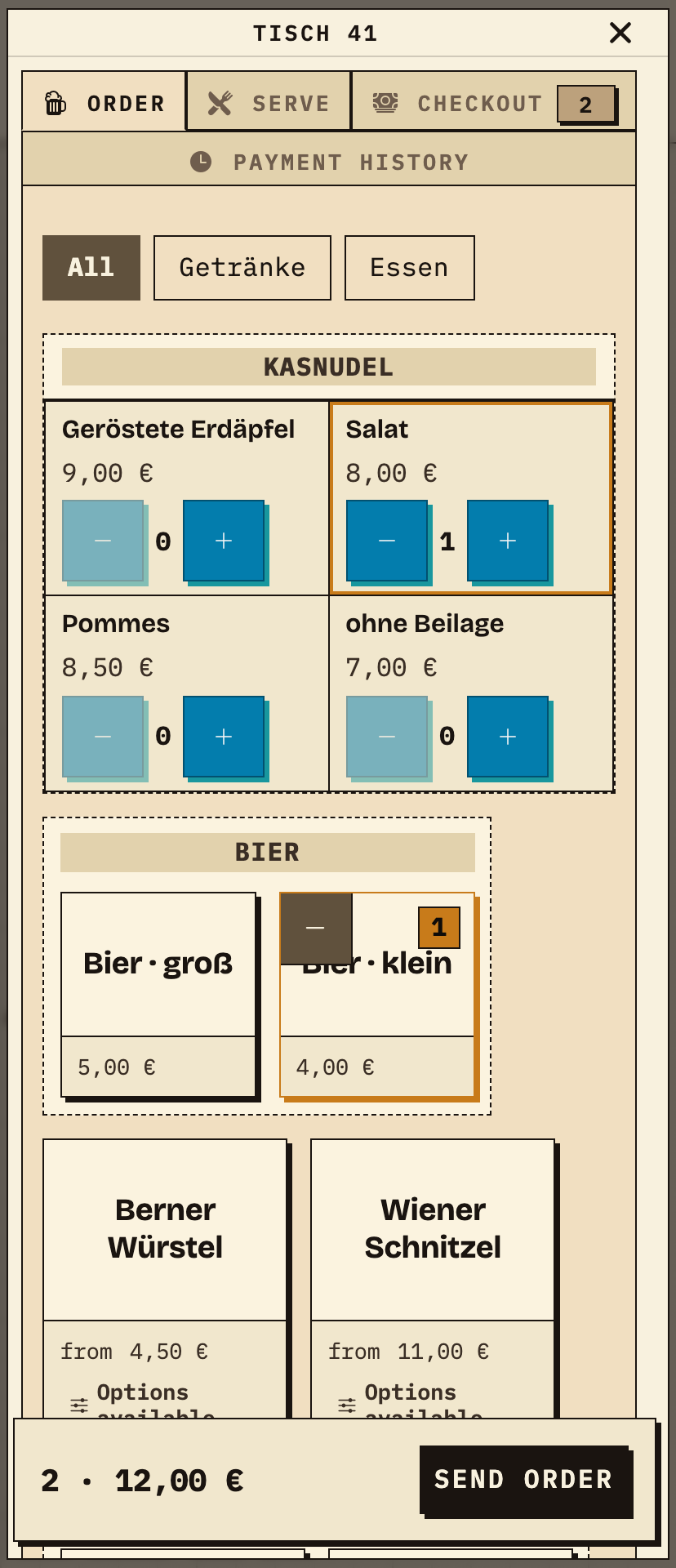
The service records beer and a meal in one order at the table. After sending, the bar sees only the beer and the kitchen only the meal, both under the same order number. This is the digital order step; planning, the shift plan and the cash register stay in their own tools.
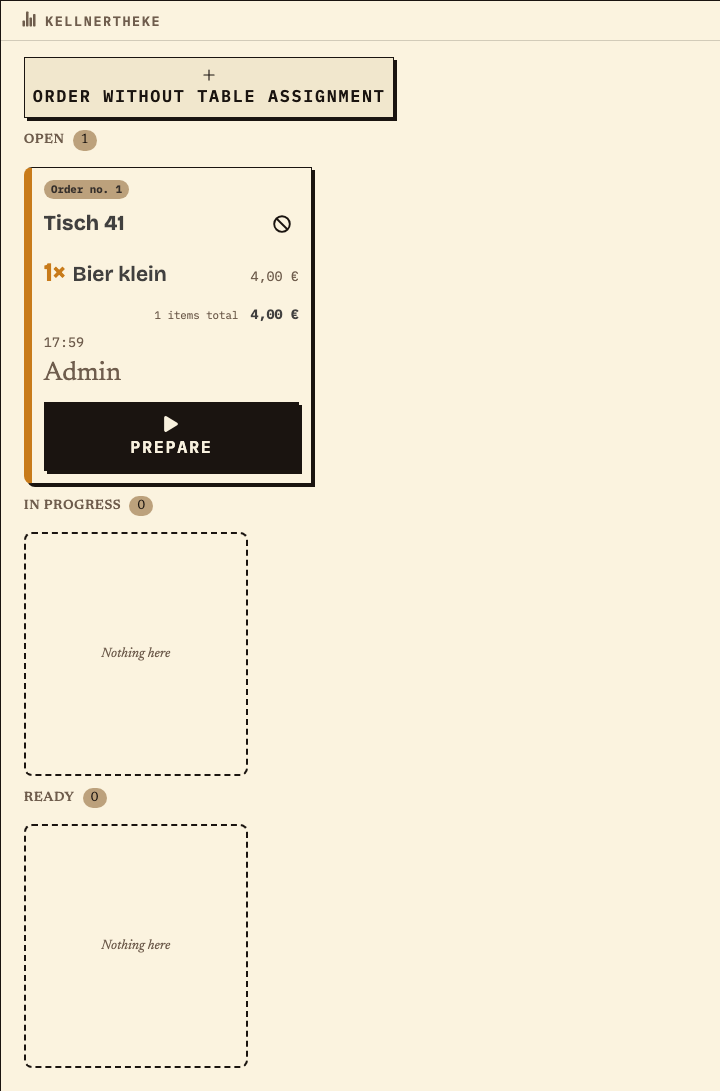
The same order no. 1 appears at the bar: table 41, one beer. The kitchen sees only the meal under the same number. Each station updates its own status; the shift handover remains a personal task.
Work material
The pattern connects the four phases with a concrete shift plan. Replace names, times and tools with your own plan; the detailed guide below covers the tasks.
Illustrative times and roles. Bierblock covers order taking and the station display; planning, the shift plan, the cash register and receipts remain separate tools.
| Step or entry | Phase/Shift | Outcome | Responsible/Tool |
|---|---|---|---|
Scroll horizontally to see the full table.
This sheet is not saved. Print it before closing or record the entries in your plan.
Benefits at a glance
The event lead confirms the date, venue and budget and assigns authorities, music, kitchen, bar, cash and volunteers. One week before the event, the menu, shift plan and purchasing are ready; the team tests a mixed order at table 41 – beer and a meal – through to the assigned station. On the day, the shift lead checks open items, devices and cash at the handover. Afterwards the team compares order quantities, cash records and remaining stock and notes one concrete change for next time. This is an illustrative workflow, not a customer case.
Frequently asked questions
Everything about setup, usage and costs.
Your plan sets out tasks and responsibilities. For orders during the festival, you can try Bierblock: helpers take orders on their phones, and the kitchen and bar see their assigned items. The devices need internet access. Explore the workflow in the public demo first.
Start without an account. Register to save. Your own demo events allow up to 20 test orders.
See pricing