Notes get lost.
Written at the table, no longer legible at the bar or simply gone.
 BierblockDELogin
Your volunteers need a clear way to pass orders to the people preparing them. With Bierblock, they take food and drink orders on their phones. The kitchen and bar see their assigned items on screen, and outgoing volunteers can review open work with the next shift. The devices need internet access.
The Problem
When volunteers rotate and several stations work together, teams need to hand over orders, responsibilities and questions.
Written at the table, no longer legible at the bar or simply gone.
With a busy event and several helpers, an order can be overlooked without a shared record.
The outgoing team needs to hand over open paper orders and items already in progress together with the incoming team.
The Solution
Your floor team takes food and drink orders on a phone. The kitchen and bar see their assigned items and mark them Open, In progress or Ready. At shift change, review outstanding orders together. The shared view requires internet access.
Choose a table, tap food and drinks, check the quantities and submit.
Drinks appear at the bar and food at the configured kitchen. Each team marks its items Open, In progress or Ready.
Configure the menu, serving points and helper access. Helpers open their access in a browser; no app download is needed. Rehearse an order with a drink and a meal on the devices you will use at the venue.
The public demo is free. Demo events in an account allow up to 20 test orders per event.
Benefits at a glance
This is what a festival with Bierblock looks like in the app: two evenings, two stations and 120 tables on the festival grounds.
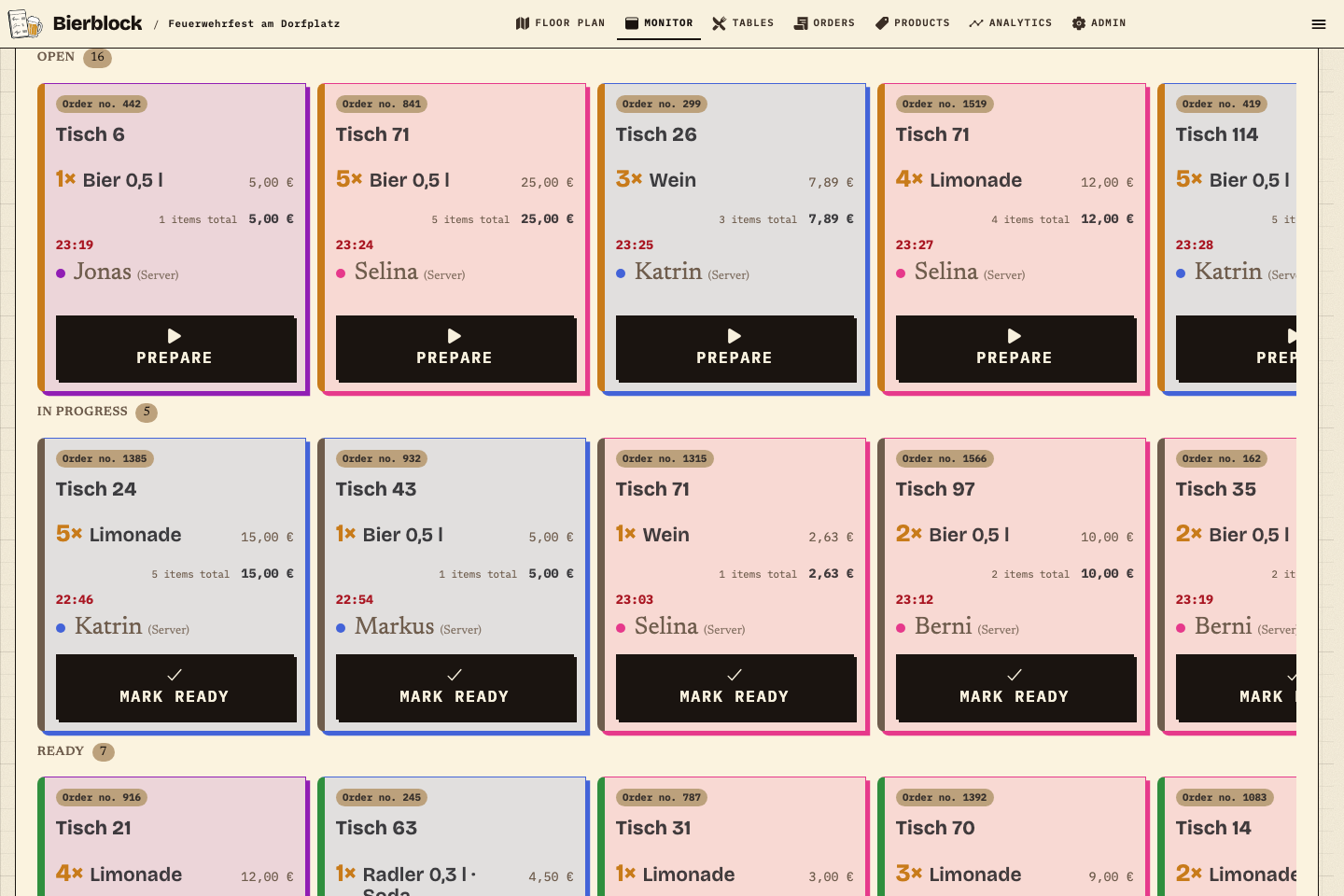
At 23:19, waitress Jonas takes an order for one 0.5 l beer for €5.00 at table 6. Order no. 442 appears immediately in the "Open" column of the station monitor, together with 15 other open orders; 5 are in progress and 7 are done. The station moves an order to "In progress" and then to "Done".
The analytics combine both festival evenings (24 and 25 July): 1,599 orders with 4,035 units sold and €24,012.82 rough revenue. The top seller is beer with 1,011 units, 913 of them 0.5 l and 98 of them 0.3 l. This shows which size you should buy in which quantity for the next festival.
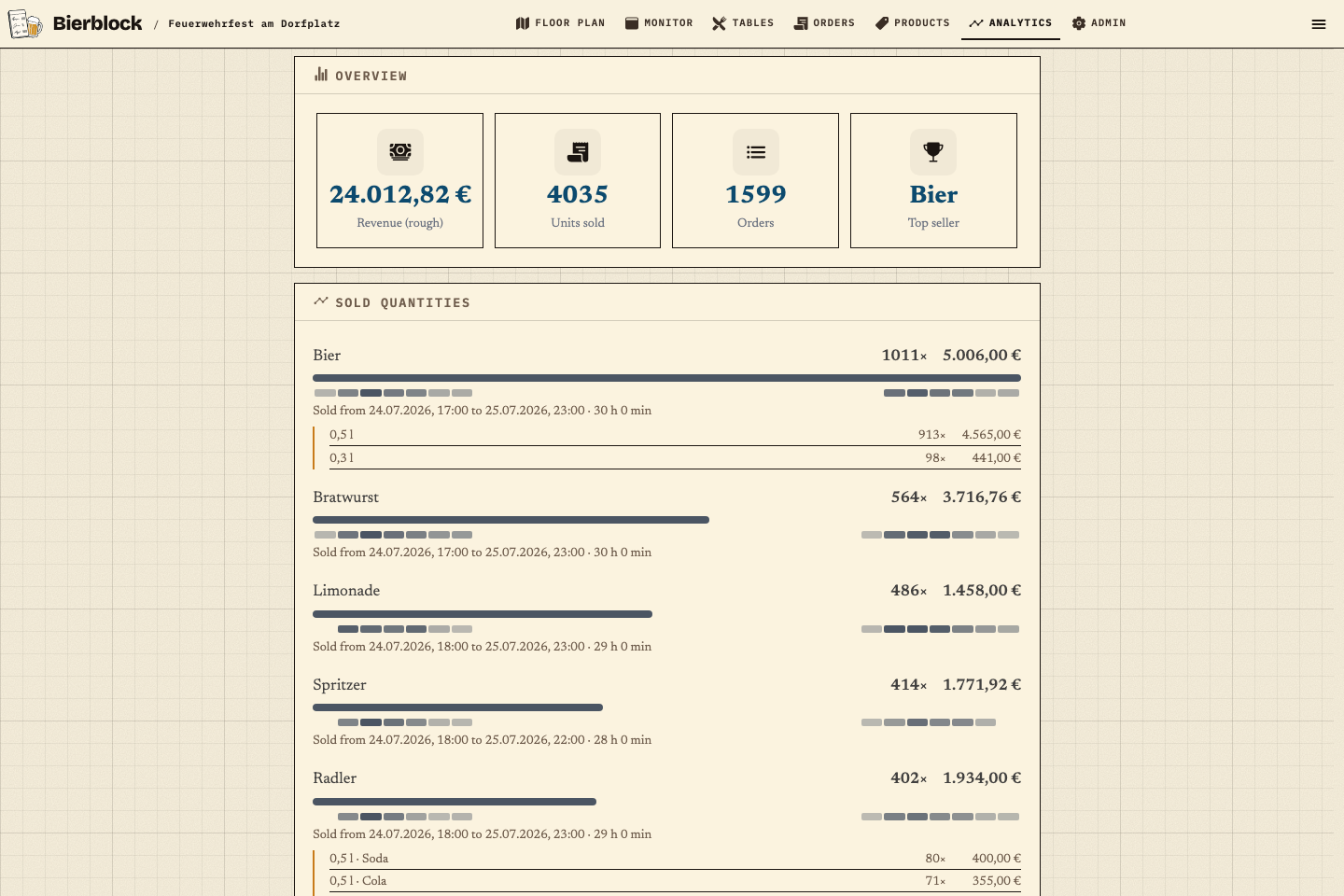
The figures come from "Feuerwehrfest am Dorfplatz", a fictional sample festival in the real Bierblock app (quantities and timing based on anonymised figures from a real fire brigade festival, no real people). The screenshots show the app unchanged.
Frequently asked questions
Everything about setup, usage and costs.
Ready?
Open the public demo to explore order taking, the kitchen and the bar. No account is needed. To prepare your own setup, start a test event afterwards.
Start without an account. Register to save. Your own demo events allow up to 20 test orders.
See pricing