For everyone who's had enough of the notepad

Replace paper order slips: Test the change before the festival

Want to stop carrying order slips to the bar or deciphering handwriting? This guide takes you through a complete rehearsal: assortment and stations, access and devices, a mixed test order, questions and handover, and a joint decision. At the end you can say with reasons whether the change passed or not. Bierblock sends orders digitally; the devices need internet access, and you agree a fallback for longer interruptions.

For everyone who's had enough of the notepad

Test the change: your checklist

Each task states an expected result. Record in “Actually observed” what really happened during the rehearsal. Two rows are filled in as examples and can be overwritten. The list does not guarantee error-free operation; it makes the test traceable and the decision checkable.

Entries are not saved. Print the completed list before reloading, or record it separately. Your browser will ask before leaving the page with unsaved entries.

Assortment and stations

01Check the offer and routing

Access and devices

02Check access, roles and workstations

Mixed test order

03Run the order, stations and statuses

Questions and handover

04Clarify contacts, shift change and fallback

Joint decision

05Assess the result and record the decision

The Problem

How paper chaos starts

A few simple checks help identify where written handovers can become ambiguous.

Notes pile up at the bar.

When several people record orders separately, agree how each order reaches the responsible station.

Illegible notes lead to errors.

Abbreviations can be read differently. Agree on product names and quantities before the event.

No overview after the festival.

Plan the post-event review in advance and keep order quantities distinct from payment and stock records.

The Solution

Prepare the change in five checkable steps

Bierblock supports orders between helpers, kitchen and bar. Responsibilities, test criteria and a fallback remain the festival team’s task.

1. Assortment and stations

Check product names, options and prices, and assign each item to the station that actually prepares it.

2. Access and devices

Set up helper and station access, clarify correction and cancellation roles, and test the actual devices at the venue.

3. Mixed test order

Send one drink and one meal to table 41 and check whether the same order number appears at Grill and Kellnertheke.

4. Questions and handover

Name contacts, rehearse the shift handover and agree the fallback for longer interruptions in writing.

5. Joint decision

Record passed, not passed or passed with conditions, and assign every open condition to a person and a date.

01

The mixed test order at the table

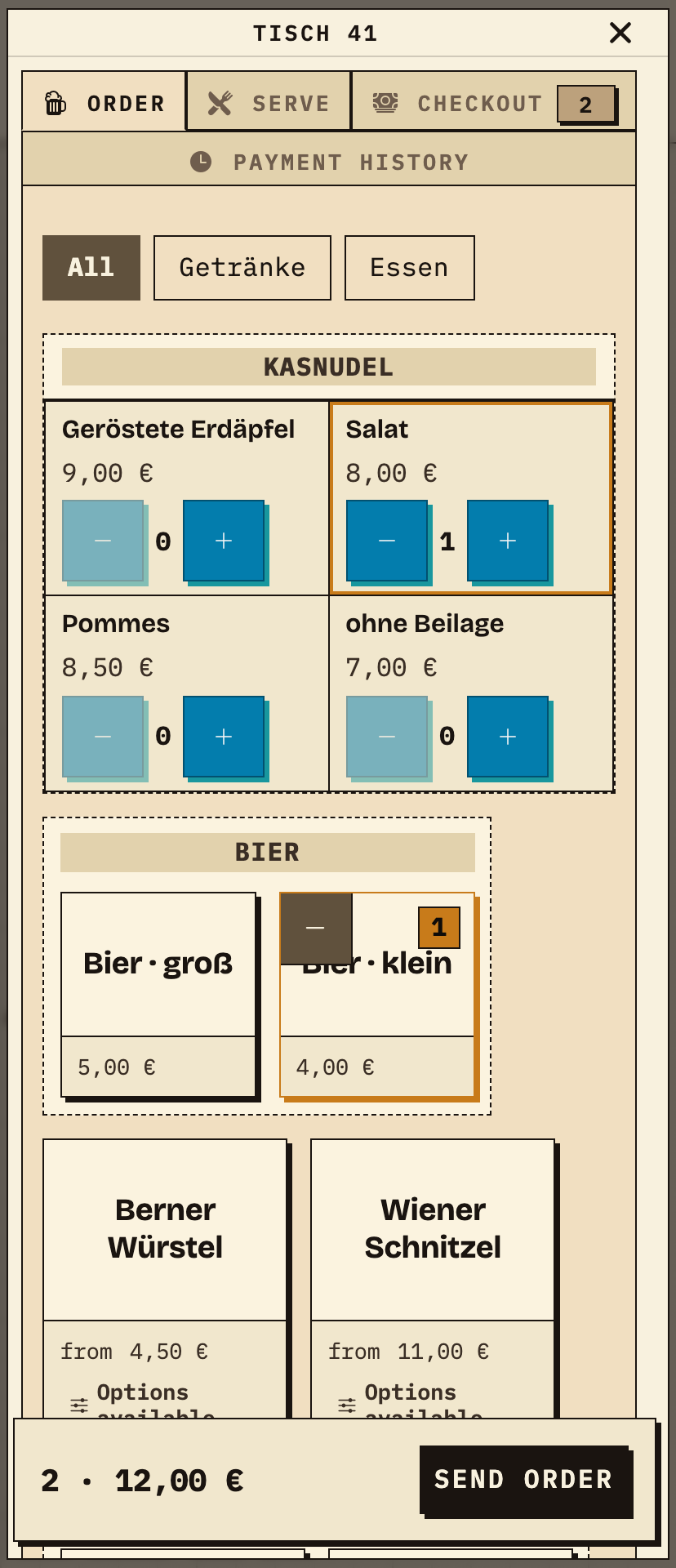
The team selects table 41 and adds a small beer and a Kasnudel with salad. The order shows two items for €12.00 before sending.
Observation
Table 41: 1× small beer (€4.00) and 1× Kasnudel Salat (€8.00), total 2 · €12.00.
Next check
Send the order and check the same number at both stations.
Bierblock order entry on a phone: table 41 with 1× small beer and 1× Kasnudel Salat, total 2 · €12.00 and a Send order button
The same test order: table 41, small beer and Kasnudel Salat, total €12.00 before sending (test data).
02

The meal reaches Grill

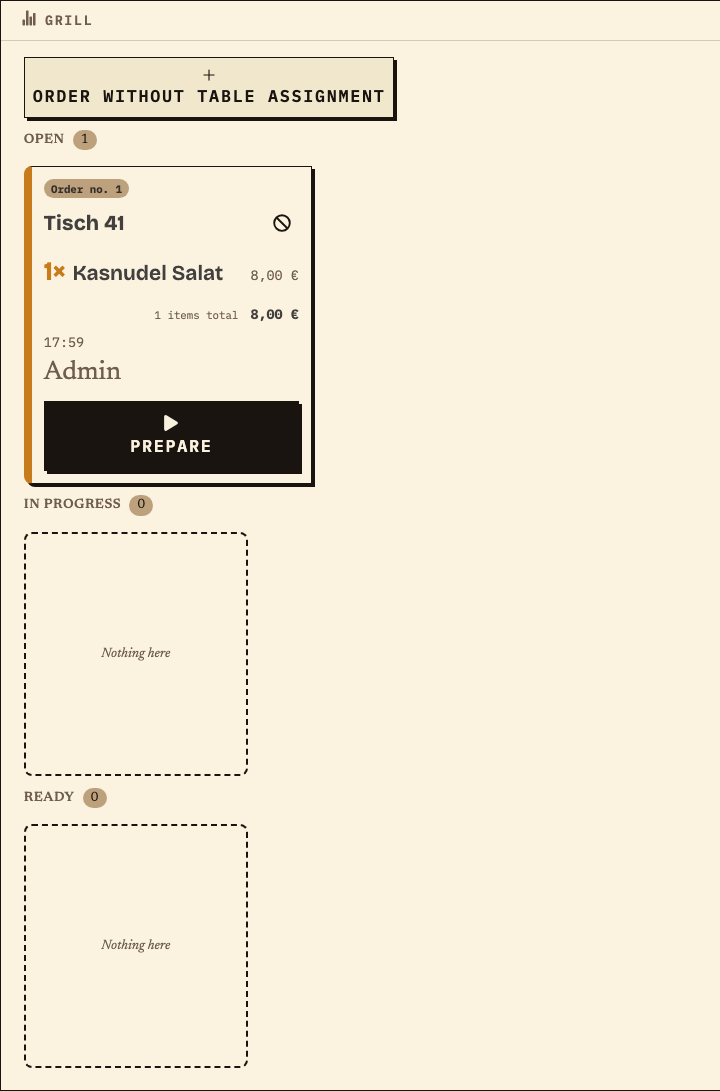
The kitchen ticket shows the same order number and table, but only the meal.
Observation
Order no. 1, table 41, 1× Kasnudel Salat (€8.00), status Open.
Next check
Advance the status; Ready is not collected or paid.
Bierblock station monitor Grill: order no. 1, table 41, 1× Kasnudel Salat, €8.00, status Open
Meal of the same order: no. 1, table 41, Kasnudel Salat at Grill (test data).
03

The drink reaches Kellnertheke

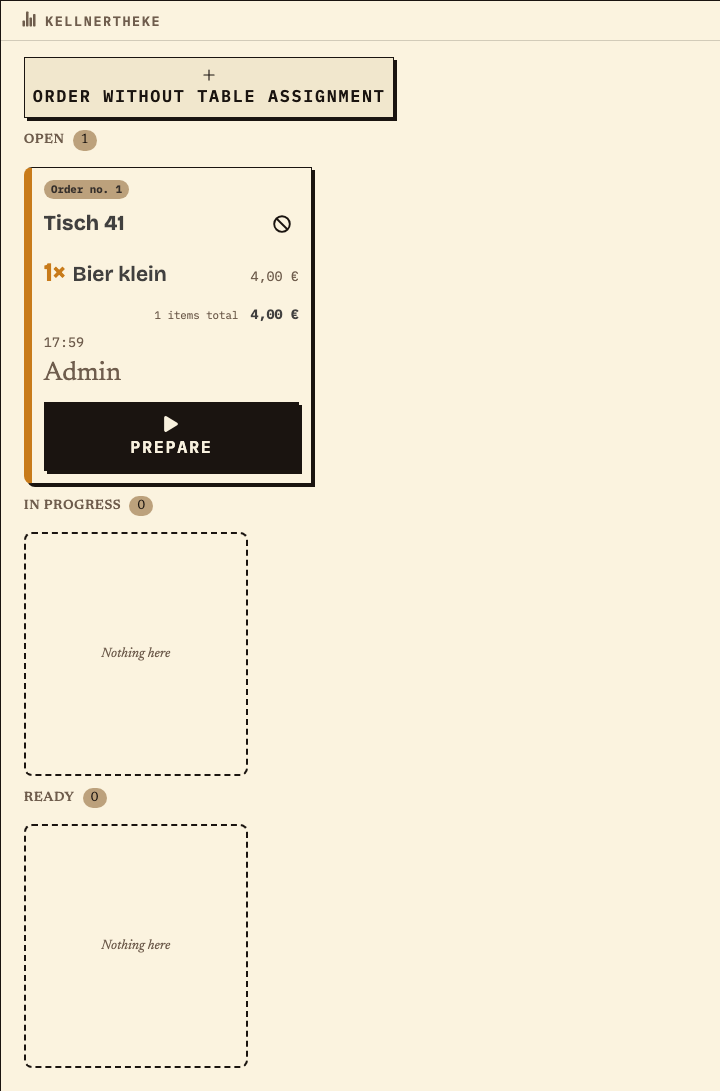
The bar ticket also carries order no. 1 and table 41, but only the drink.
Observation
Order no. 1, table 41, 1× small beer (€4.00), status Open.
Next check
Confirm both station views before declaring the test passed.
Bierblock station monitor Kellnertheke: order no. 1, table 41, 1× small beer, €4.00, status Open
Drink of the same order: no. 1, table 41, small beer at Kellnertheke (test data).

Benefits at a glance

What this page helps you do

  • Five checks with an expected result
  • The same test order at entry and both stations
  • Fallback and joint decision before the festival
Fictional example

An example from festival operations

The filled test checklist

The image shows the mixed test order group from the print preview of the same checklist. The expected line states the test criterion; the result column records what was observed. The example uses test data.

  1. 01

    Mixed test order: expected vs. observed

    Expected: order no. 1 at table 41 with the meal at Grill and the drink at Kellnertheke. Observed: both tickets show order no. 1 and status Open; Grill shows the Kasnudel, Kellnertheke the small beer.
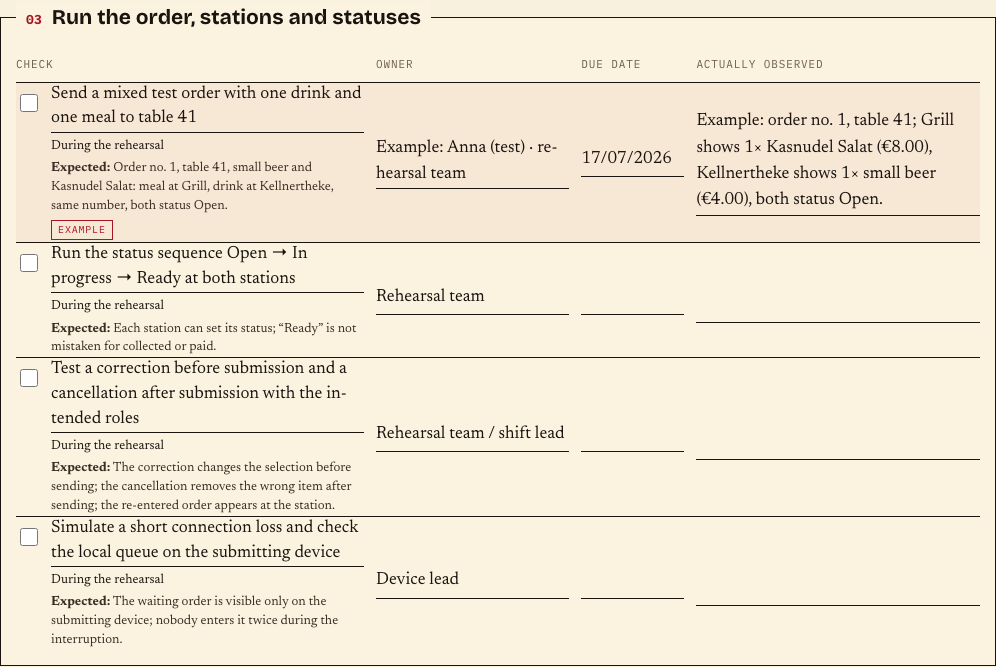
    Print preview of the changeover checklist: mixed test order group with expected and observed result (test data)
    Filled print preview of the checklist with expected checks and the observed order no. 1 (test data).

The checklist ends with a joint decision: passed, not passed or passed with conditions. It does not promise error-free operation.

Frequently asked questions

What organisers often ask.

Everything about setup, usage and costs.

Can we remove paper immediately?
Not as a blanket promise. Run the rehearsal with your devices and stations, agree when you switch to the fallback during an outage, and keep paper notes visible until they are reconciled. A digital flow does not replace an emergency agreement.
What happens when the internet fails?
Kitchen, bar and helpers need internet to share new orders. During a short interruption, an order may wait on the submitting device; other devices cannot see it until it is sent. Check the local queue on that device before entering the order again. For a longer outage, use the written paper fallback and reconcile after reconnection. There is no automatic offline synchronisation.
What should the test order contain?
Use products that occur at your festival and include at least one drink and one meal for different stations. Send one order and check that the same number appears at both stations. Run the status sequence and try a correction before submission and a cancellation after submission.
How do we know the rehearsal passed?
Passed means the mixed order reaches both stations with the same number, statuses and cancellation work, every role has a contact, and the fallback for longer outages is agreed in writing. It does not mean the festival will run without mistakes. Record open conditions and assign them to a person.
What does “Ready” mean?
“Ready” is the station’s processing status. It does not mean collected or paid; handover and cash remain separate steps.
How do we correct an order after sending?
Before sending, change the selection. After sending, use the cancellation flow for the wrong item and enter it again if needed. The required permission depends on the role; items already collected cannot be cancelled.

Ready?

See how your team could take orders.

Open the public demo to explore order taking, the kitchen and the bar. No account is needed. To prepare your own setup, start a test event afterwards.

Open the demo — no sign-upBuild your own test event

Start without an account. Register to save. Your own demo events allow up to 20 test orders.

See pricing