What Bierblock is built for
No POS system. No enterprise theatre.
Bierblock is built for clubs and festivals, not for restaurants with permanent staff and complex cash register logic. The focus stays on orders, overview and simple operation.
 BierblockDELogin
Order like on the pad — but readable and instantly visible for everyone. No paper chaos, no POS system.
Test event: build your event without an account, register free to save it, up to 20 test orders per event. Live demo: browse a finished sample event, no sign-up.
Bierblock replaces the order pad, not the cash register. Payment and billing happen just like before.
How one order runs
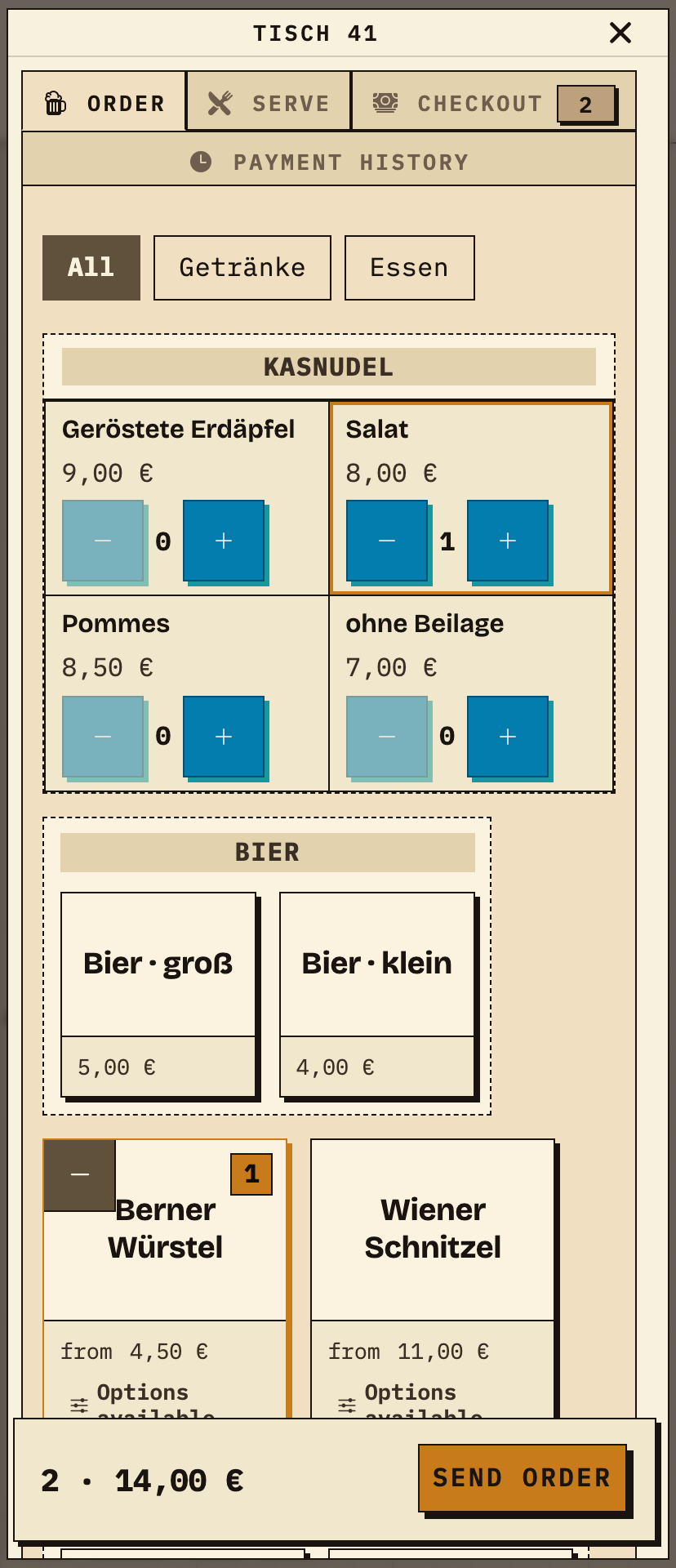
An example from the sample event “Feuerwehrfest am Dorfplatz”: table 41 orders a Kasnudel with salad and a Berner Würstel with fries. Both dishes belong to the Grill station.
Service picks table 41 on the floor plan, taps dishes and sides, and sends the order.
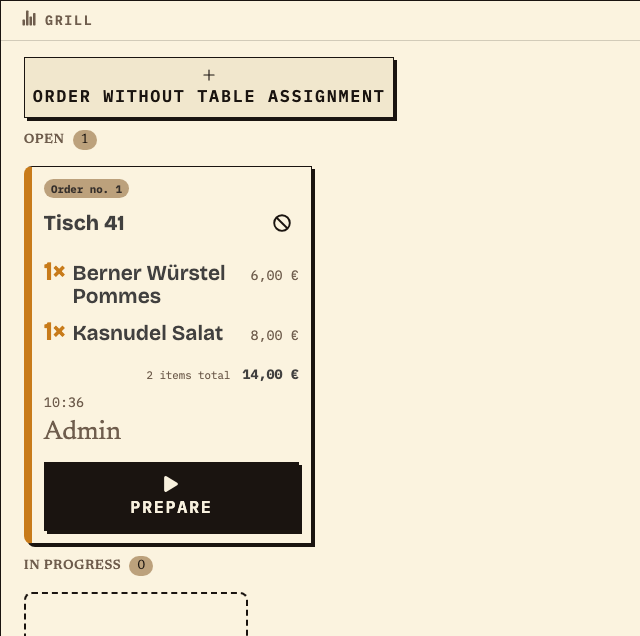
The station monitor shows the same order as an open card with table, items and total. “Prepare” starts the kitchen, “Mark ready” finishes an item.
Ready items appear at the table on the “Serve” tab. Here the Kasnudel is marked ready; the Würstel is still in progress and therefore not listed yet.
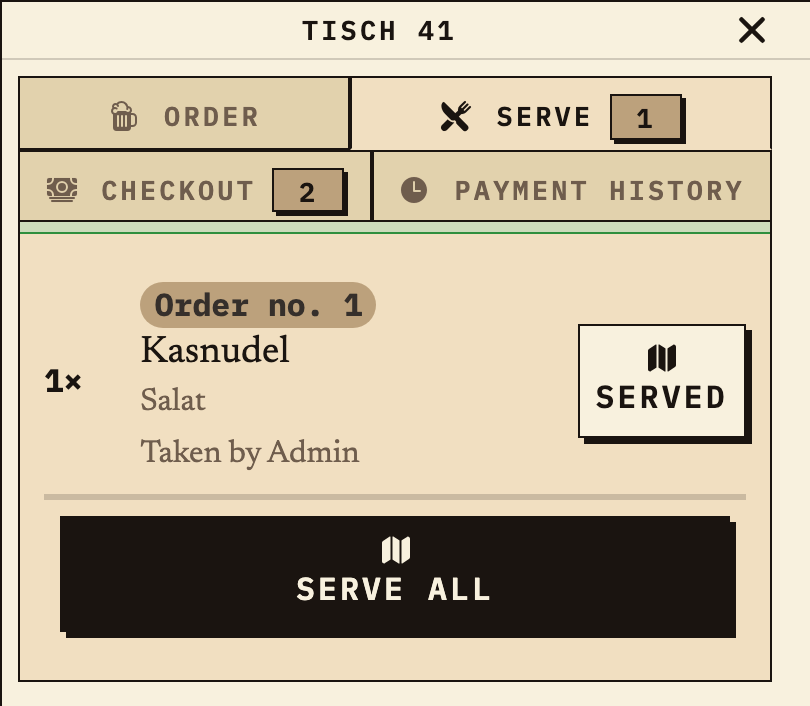
Example captures from a local test environment with test data, not from a real event. The order was sent in the app for the captures; the kitchen status (“Mark ready”) was set by a test run; payment and pickup are tracked separately in the app (“Checkout” tab).
How it works
No big setup: connect your team, take orders and see them appear at the bar straight away.
What Bierblock is built for
Bierblock is built for clubs and festivals, not for restaurants with permanent staff and complex cash register logic. The focus stays on orders, overview and simple operation.
Anonymised real Bierblock event · summer 2026
At a real event in summer 2026, the organiser had previously managed orders in Excel. According to the organiser, Bierblock left considerably more time to deal with issues on site and look after people at the event.
Real event data, anonymised
Beer: 1,461 units, most sold. Schnitzel: €7,769.80 in sales from 486 units.
The organiser reports having considerably more time with Bierblock to resolve practical issues on site and look after guests. Time saved was not measured in minutes.
Real aggregated event data, analysed anonymously. The export labels sales as approximate. Time saved is the organiser's qualitative feedback, not a timed measurement. The club and people remain anonymous; sales are not a before-and-after comparison.
Start free test eventWhy Bierblock?
Paper is fast. That's exactly why it's popular. But once you add many volunteers, multiple tables and open orders, things can quickly turn chaotic.
On the table, at the bar, in an apron pocket or somewhere in between.
What one person scribbles quickly looks like a doctor's note to the next.
The fuller the festival, the more important a shared overview becomes for everyone.
The shared overview
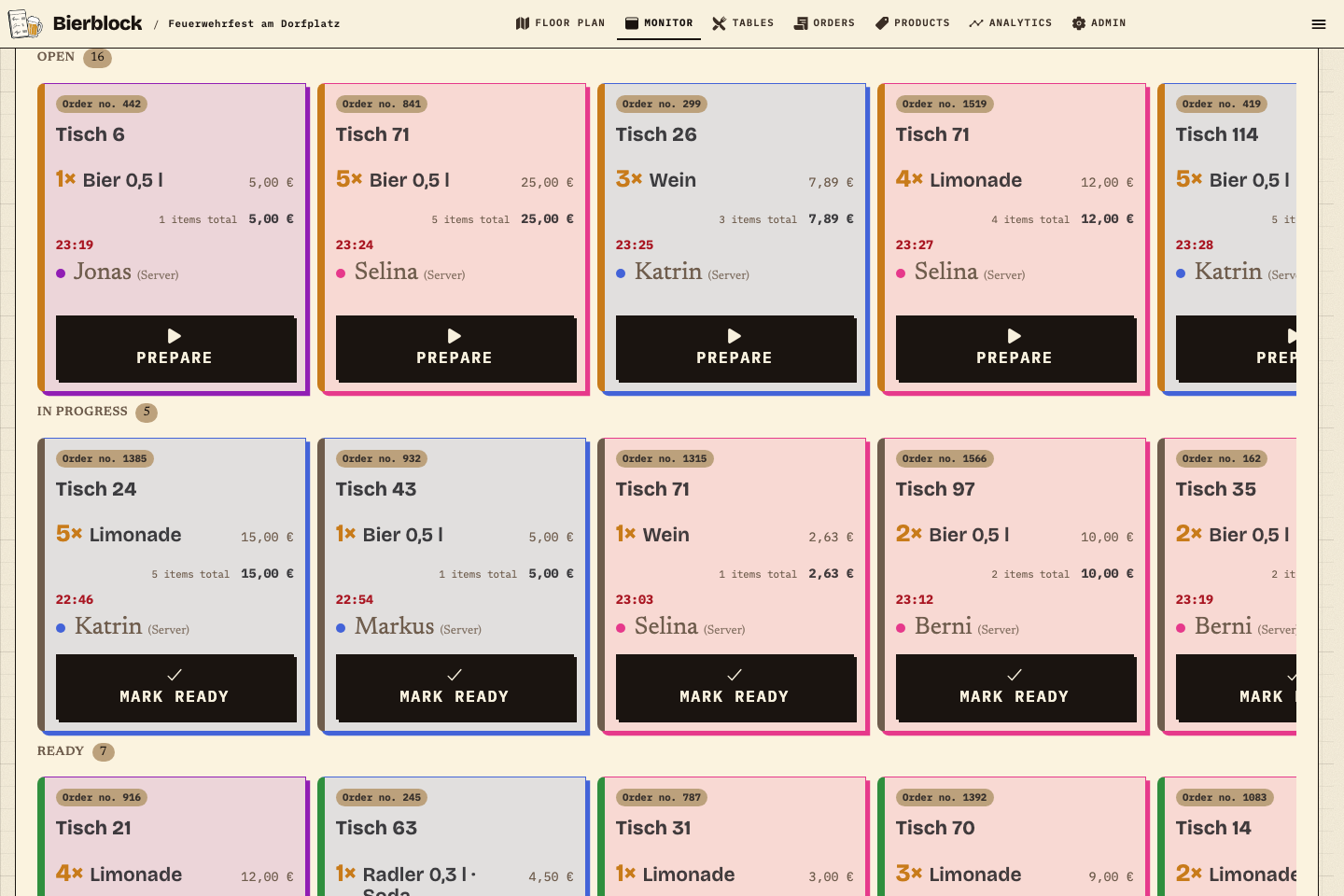
When connected, assigned order items appear on the station monitor — open, in progress and ready. The team checks status and coordinates service.
Features
Bierblock does more than replace paper slips. The interface stays clear and quick for volunteers.
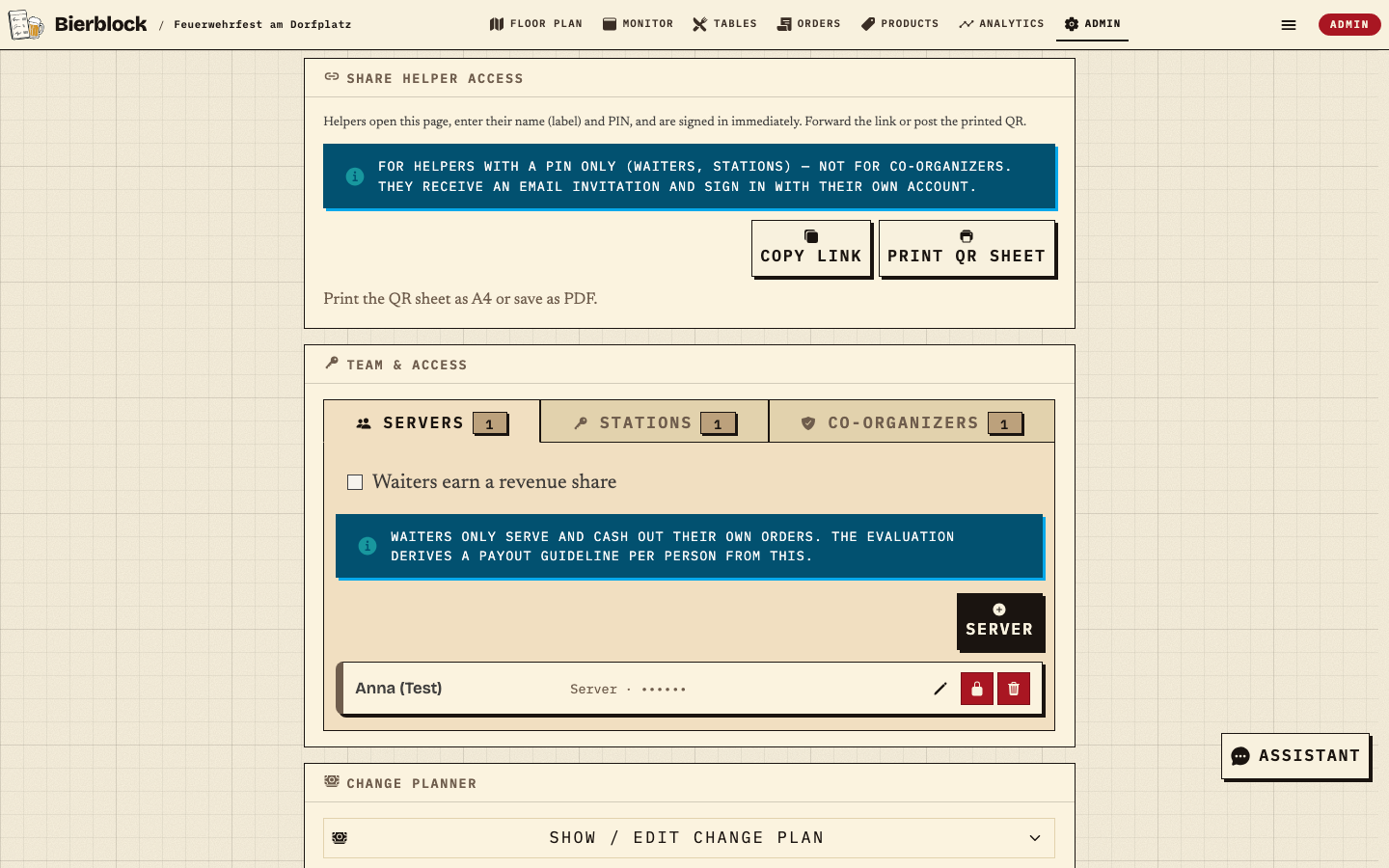
Choose products and quantities, and select a table where the workflow uses one. Configure helper access and rehearse a complete order before the event.
Rehearse the workflow with the intended number of devices at the venue. Performance and transmission depend on setup and connection.
When connected, assigned stations see transmitted items and their status. The team still coordinates responsibilities and questions.
No app download is required. The organiser configures helper access; test sign-in, role and device before the event.
Calculates how much helper time goes into walking between service and the bar. You can adjust the example assumptions to your event.
Enter number of helpers and event duration. Calculated with 4 order slip trips per hour and 2 minutes per complete trip there and back; both values can be adjusted.
Fewer order slip trips, one shared order status. In the free demo you can see how orders go from the phone directly to the responsible station.
View the free demoHelp during the festival
Instead of searching a manual, ask the AI assistant in the live event. It briefly explains what a status means or where to carry out the next step.
After signing in as an organiser, tap it and ask in your event. On very narrow phones, it spans the bottom edge.
For organisers. The assistant explains and guides. Completing orders and handling payments stays in the fast volunteer screens.
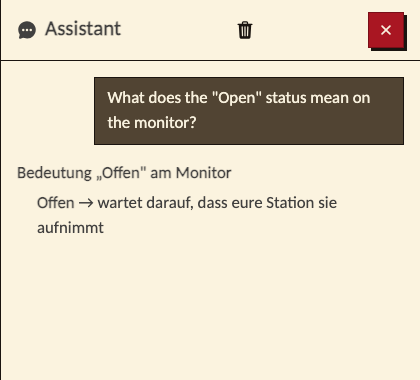
What is still open at the bar?
What does "In progress" mean?
Where do I mark an order as done?
After the last pour
After the festival, you finally know what actually happened. Bierblock automatically records what sold and when, which stations were busiest, and how the workload was shared across helpers.
Explore the live reportThe event at a glance
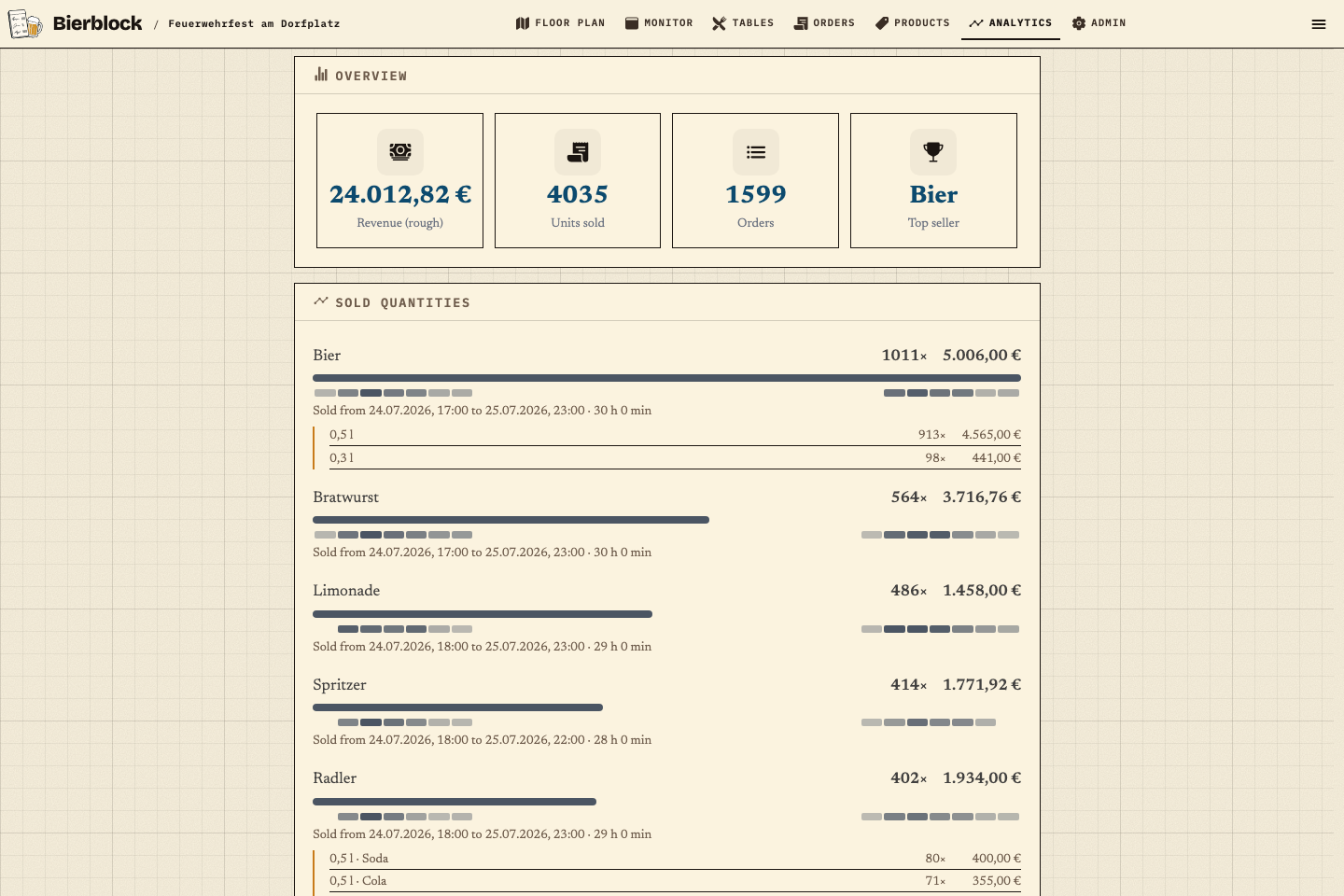
Useful figures inside the event, with CSV, PDF and anonymized AI export.
WHERE · STATIONS
Compare quantities, revenue, completed orders and product mix for each station.
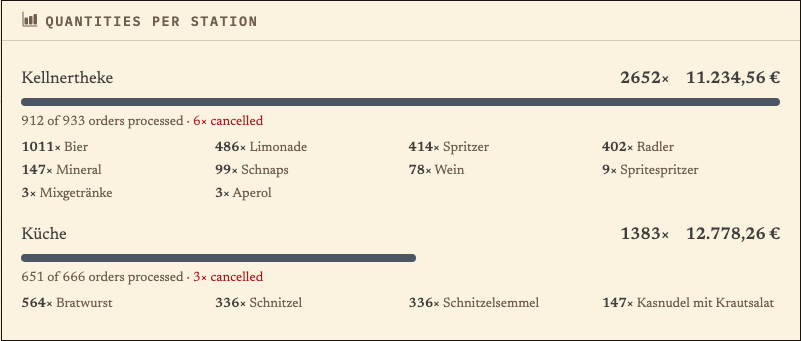
More views: product trends, rooms and tables, helpers and event timeline.See all evaluation views
Mobile and desktop
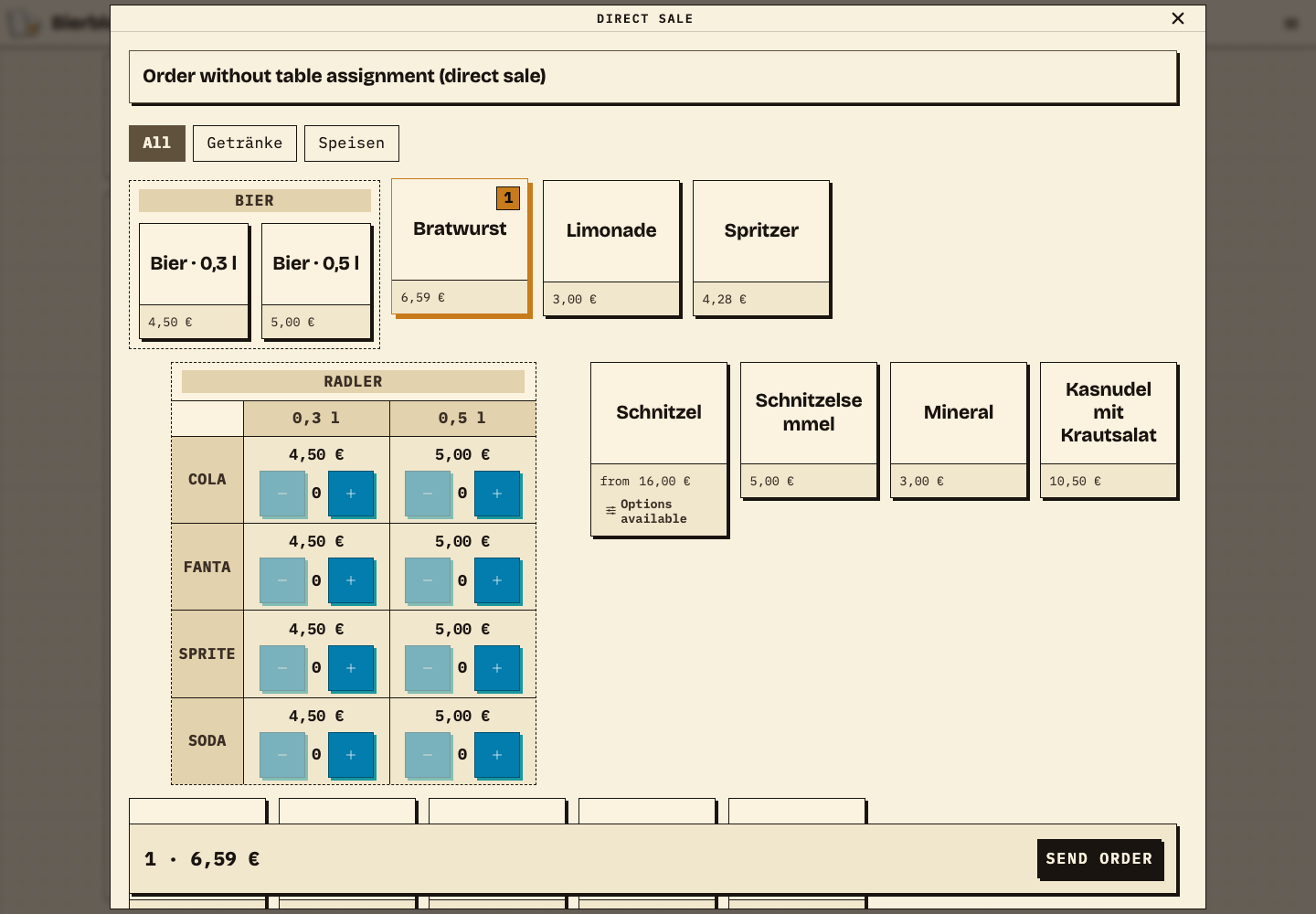
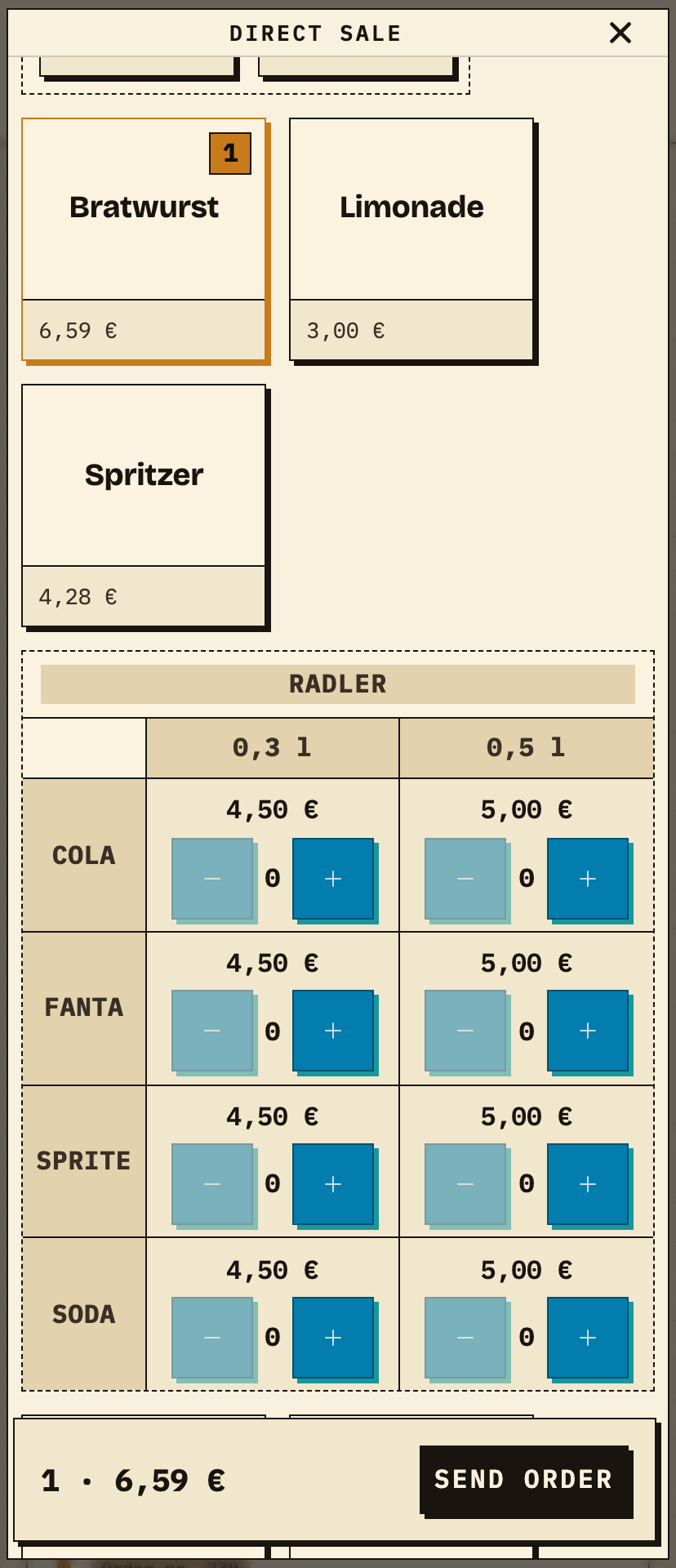
Helpers take orders on their own phones in a browser. Organizers and the bar see the same up-to-date status on a larger screen.
The order layout is deliberately calm, clear and consistent: it is easier on the eyes during long shifts, and the next product or button stays easy to spot even in the rush.
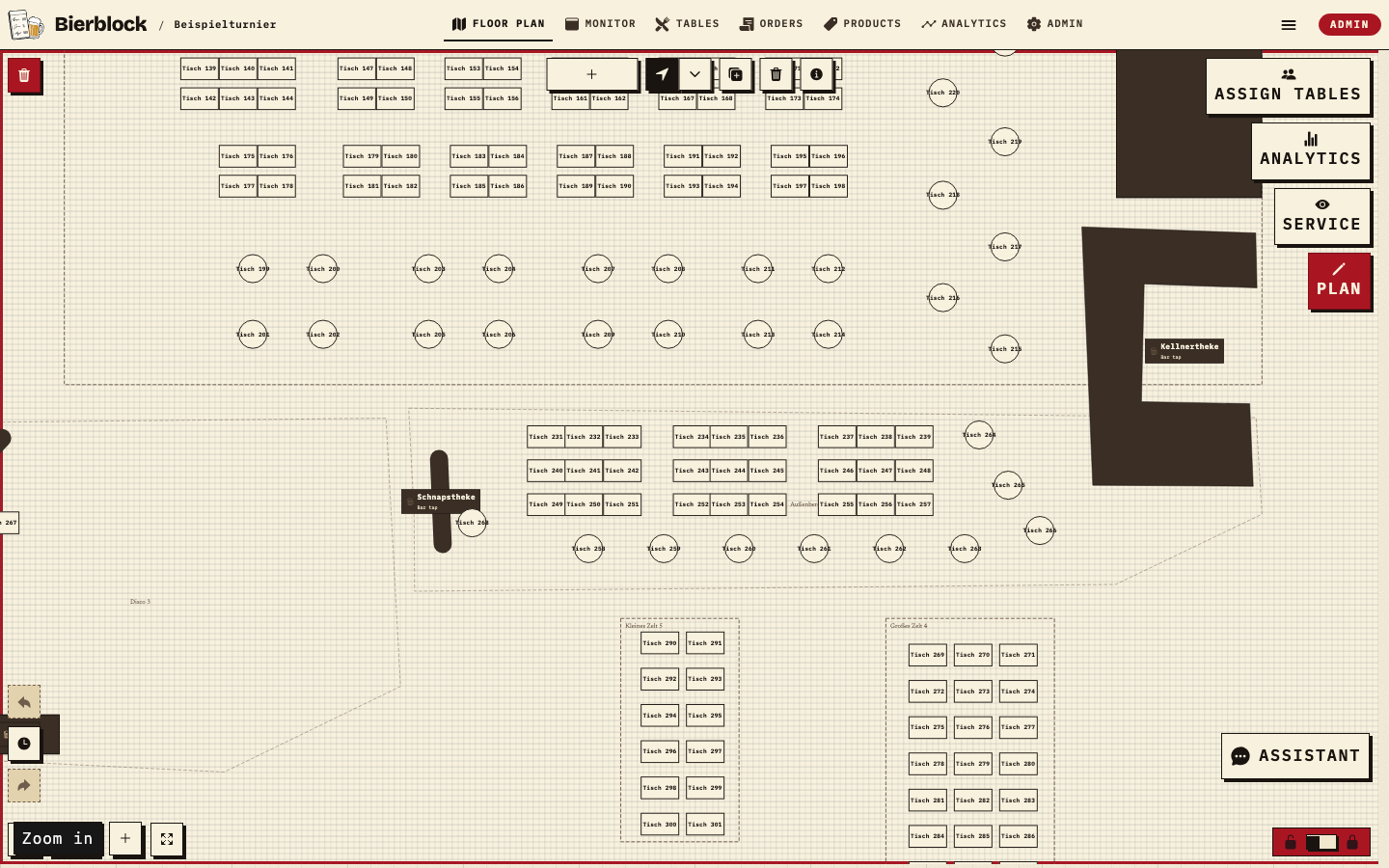
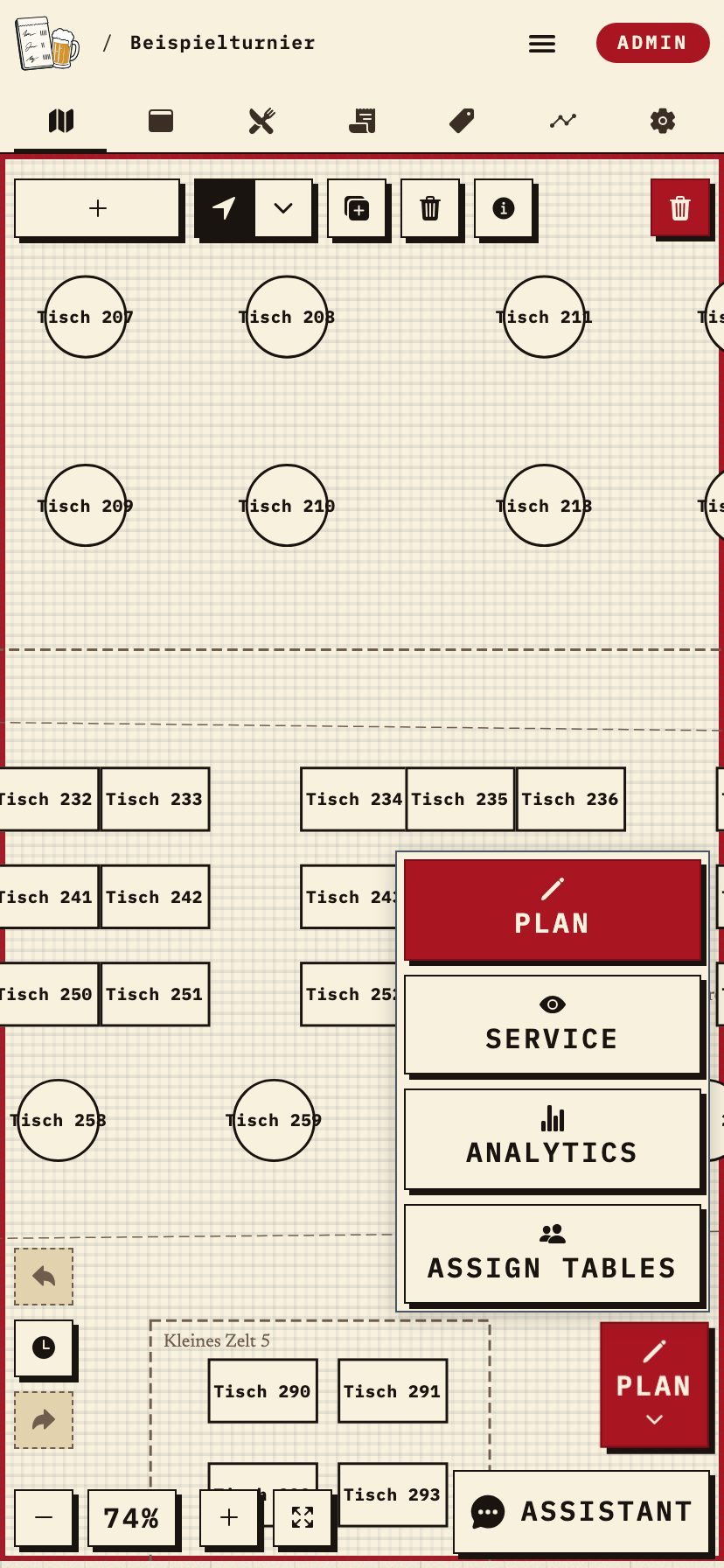
For larger festivals: place tables, the bar and kitchen where they really are, so helpers can find the right area quickly.
All features
Paid plan options offer the same app functionality; billing period and price differ. Review current plan terms before choosing.
Pricing
Try the demo for free, book one month for your festival or cover the whole season. All features in every paid plan — they differ by access period and billing.
All features included in every package
12 months of access for up to 30 real events per calendar year (fair use).
Full flexibility — runs as long as you need it. Cancel anytime.
One month of full access — preparation, festival, reports. No subscription.
Free public demo, no account needed. Demo events in an account are limited to 20 test orders each. Start the interactive demo.
Event packs for several events, the Founder Edition and the referral programme, with all terms, are on the pricing page. See all plans and terms
Common questions
Answered briefly — from tech to billing, what matters before you head out to the festival.
Yes. Bierblock runs entirely in the browser. Volunteers open a link or scan a QR code — no installation, no app store, no updates. Ideal for rotating shifts and personal devices.
Bierblock bridges short outages automatically. Orders taken without a connection are stored in a local queue on the device and sent as soon as the network is back — when syncing, Bierblock prevents the same order from being transmitted twice. Only the shared live overview across all volunteers needs a connection: orders taken offline become visible to everyone once you're back online. For longer festivals we still recommend stable Wi-Fi or a hotspot.
Yes, by design. Each volunteer connects via the browser on their own smartphone — secured with a volunteer PIN. You don't need to buy any dedicated devices.
No. Bierblock replaces the order pad, not the cash register. It takes orders and creates an overview. Payment and billing happen just like before, through your usual register.
Yes. Any number of waiters and serving stations work in parallel at the same stand. Everyone sees the same live overview without blocking each other.
Yes — and unlike the usual trial with an expiry date, Bierblock has no time limit: you can test for as long as you like. The demo is free and needs no payment details — create a test event, add drinks and run through the entire workflow. Without a subscription you can place up to 20 test orders per event; for the real festival with unlimited orders you book a package.
Bierblock is ready
Start for free and try Bierblock with your club — no payment details, no commitment. Pick your package whenever it fits.
Get started
Start free test eventNo payment details required · upgrade anytime