The order stays on the taking device.
Without transmission the station sees neither table nor item; the selection remains local.
 BierblockDELogin
An order has been taken; now it needs to reach the people preparing it. Bierblock sends it from the helper's device to the assigned kitchen or bar. The monitor shows the same order number and table, then the processing status. This works while the devices are connected; an order still waiting locally is not yet visible on other devices.
The Problem
On paper there is no “other device”: the station only learns about the order when someone carries the slip over.
Without transmission the station sees neither table nor item; the selection remains local.
The station sees no arrival and cannot work the item.
Without a shared view, service does not know whether an item is open, in progress or ready.
The Solution
After sending, Bierblock transmits the order to the assigned station. The monitor shows the same order number and table; the team moves the item to In progress and marks it ready. Service sees the status at the table. Before transmission, the order stays on the taking device.
The helper checks table, items and quantity, then sends the order.
The assigned kitchen or bar sees the item with table and order number on the monitor.
Prepare and Mark ready change the status; service sees the finished item in the Serve tab.
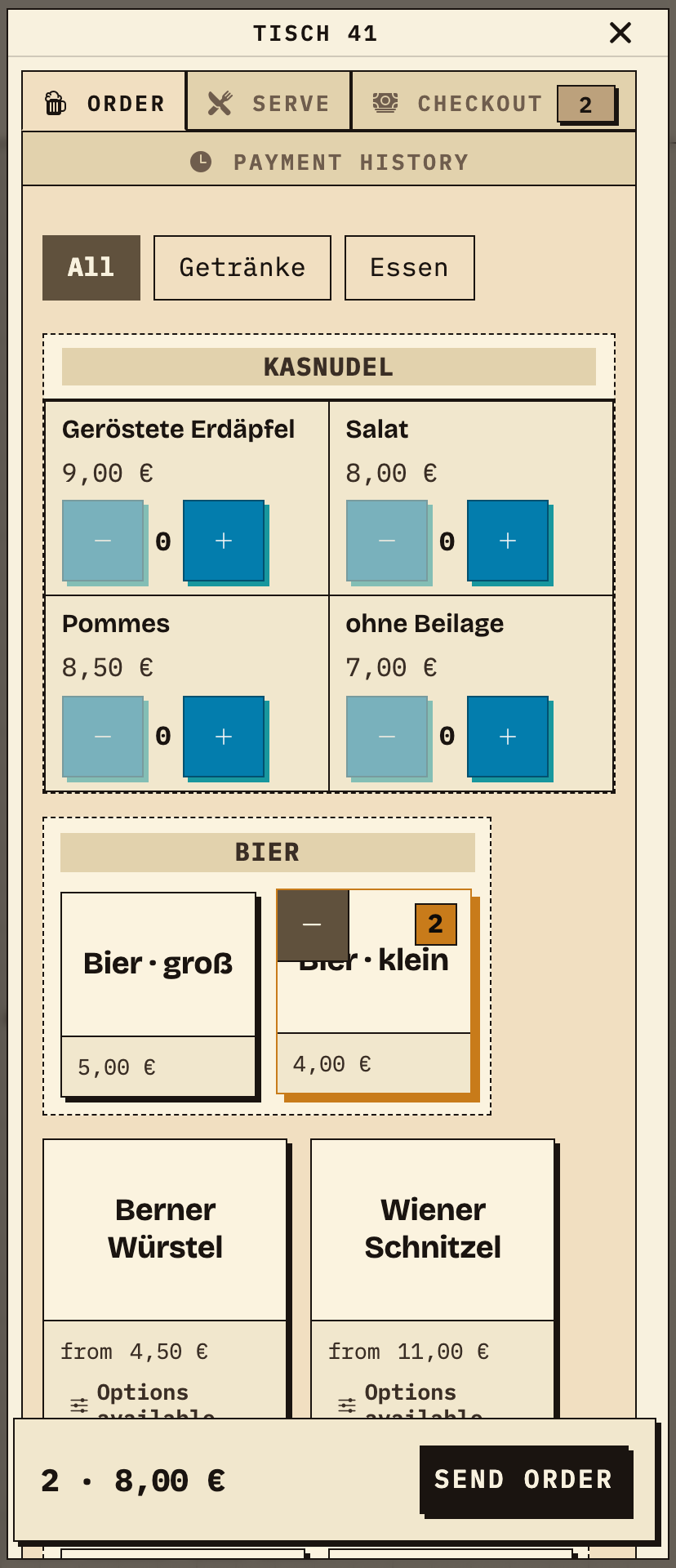
The helper opens the configured access in the browser, selects table 41 and taps 2× Bier klein. The item count and total appear at the bottom. Before sending, the Kellnertheke sees nothing; only “Send order” passes the selection to the assigned station.
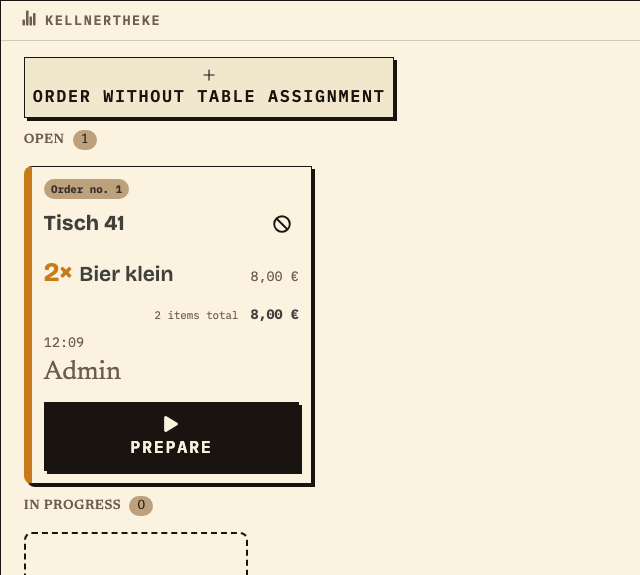
After a successful transfer, the Kellnertheke monitor shows the same order number and table. The item sits in the Open column. The station sees only the items assigned to it; drinks from other stations do not appear.
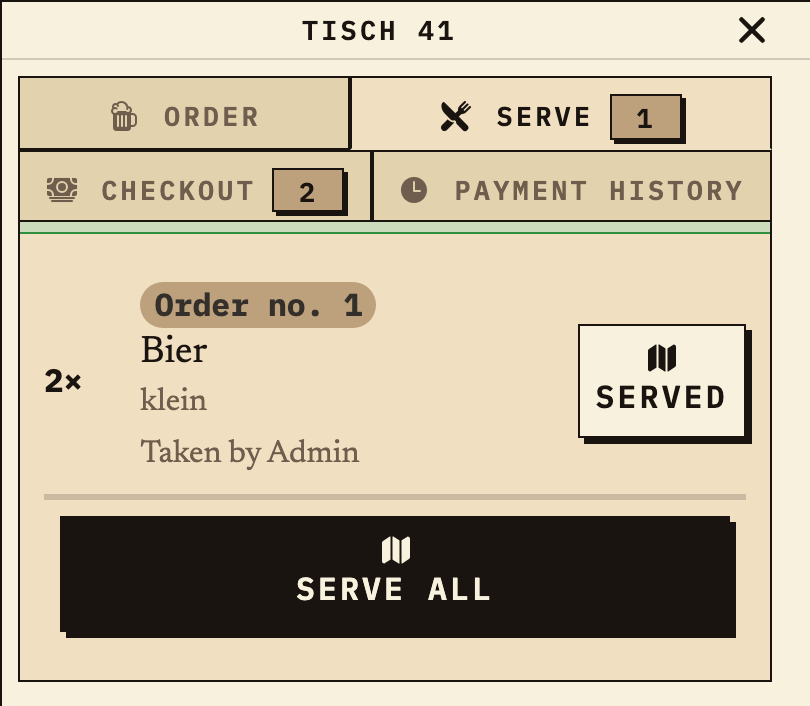
Once the item is marked ready, the same order appears at the table under “Serve”. Service confirms collection there; “Checkout” is a separate step. This is how the status travels back from the station to service.
Work material
Run the test with the actual taking device, the assigned station and the planned service device. A step passes only when the expected display is visible on the target device.
During an interruption, the order stays on the taking device until it is sent. Other devices see it only after a successful transfer. Check the outbox on that device; switching devices does not restore it automatically.
| Step or entry | Step | Expected result | Confirmed by |
|---|---|---|---|
Scroll horizontally to see the full table.
Entries are not saved. Print the completed test before reloading or record it separately.
Benefits at a glance
During a multi-shift festival, a helper submits an order but one item does not appear at its assigned station. The named contact first checks the connection and the submitting device’s local outbox instead of immediately entering the order again. After reconnection, the station follows the transmitted item from Open through In progress to Ready; service confirms physical collection separately. Both teams then reconcile the order and its station status. This fictional workflow makes no fixed delivery-time promise.
Frequently asked questions
Everything about setup, usage and costs.
Ready?
Open the public demo to explore order taking, the kitchen and the bar. No account is needed. To prepare your own setup, start a test event afterwards.
Start without an account. Register to save. Your own demo events allow up to 20 test orders.
See pricing